Zenitsu Twixtor 4K | Clips For Edit
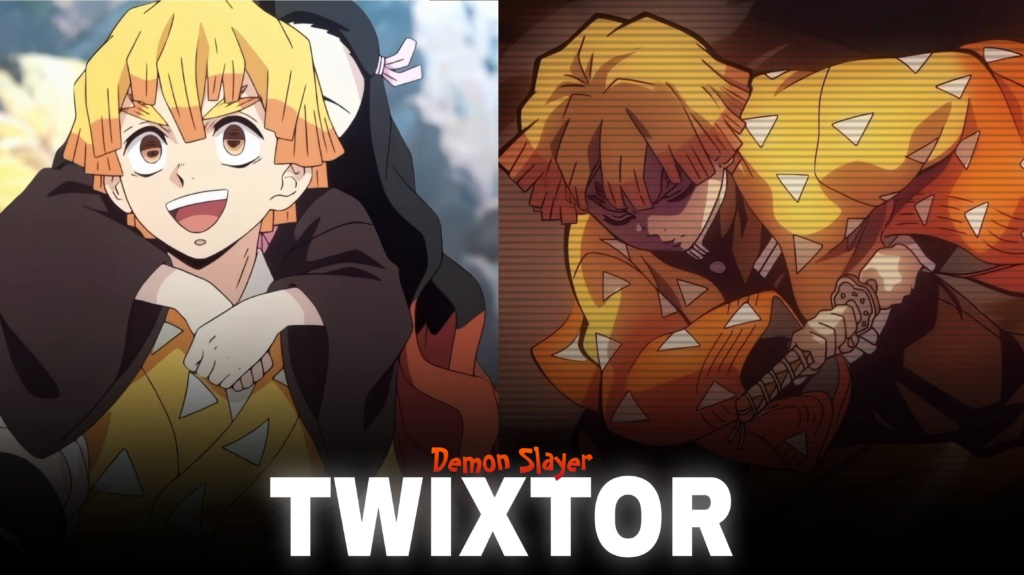
Zenitsu Twixtor 4K - Ultimate Demon Slayer Twixtor Clips
Zenitsu Twixtor: Epic Thunder Breathing Clips for Anime Edits
Zenitsu Twixtor is a popular search among Demon Slayer: Kimetsu no Yaiba fans who want dramatic character footage for lightning-fast action edits, smooth slow motion, and cinematic anime videos. Zenitsu Agatsuma may be easily frightened, but his fighting ability changes dramatically when he enters his focused combat state. His Thunder Breathing techniques deliver some of the series’ most exciting opportunities for creative editing.
From the explosive movement of Thunderclap and Flash to intense character close-ups, his scenes can work with velocity effects, beat drops, flashes, and dramatic transitions. A well-planned Zenitsu Twixtor edit can emphasize that sudden change from nervous energy to precise, powerful movement.
Whether you’re creating a TikTok, Instagram Reel, or YouTube Short, choose footage that complements your soundtrack instead of overwhelming it with effects.
Why Zenitsu Is Perfect for Lightning-Fast Edits
Zenitsu’s distinctive yellow-orange haori, expressive reactions, and lightning-themed attacks give his footage a recognizable visual identity. His fighting sequences contrast with his usually timid personality, which creates an effective setup for edits that build tension before a sudden action moment.
The Thunder Breathing style is particularly useful for speed-based videos. Fast sword movements provide natural places for velocity ramps, while a brief slowdown before an attack can make the movement feel more impactful.
For more footage inspiration across anime series, explore the site’s Anime Twixtor collection.
Best Zenitsu Twixtor Ideas for Different Editing Styles
When selecting Zenitsu Twixtor footage, think about the atmosphere you want to create and how each shot will connect to the music.
1. Thunderclap and Flash edits
This technique is ideal for fast cuts and sudden beat drops. Build anticipation with a short pause or slower moment, then accelerate into the attack. Keep the action visible so the main movement remains clear.
2. Sleeping combat scenes
Zenitsu’s focused fighting state works well for edits that contrast his fearful personality with his skill in battle. Start with a reaction shot and transition into a sharper, faster action sequence.
3. Lightning-themed velocity edits
Use speed changes and subtle flashes to complement the lightning aesthetic. Keep the flashes brief and avoid applying excessive shake to every cut, which can make the video difficult to follow.
4. Emotional character edits
His expressive reactions can also suit slower montages. Use subtle zooms, restrained colour grading, and music that builds gradually before the action begins.
You can find additional inspiration in the site’s Anime Clips collection.
How to Make Smooth Zenitsu Twixtor Edits
For polished Zenitsu Twixtor edits, source quality and careful timing matter as much as the effects. Frame interpolation can make slow motion smoother, but extremely fast sword movements may produce ghosting or distorted edges when slowed too far.
Try these techniques to improve your finished video:
- Start with clear footage: Avoid heavily compressed clips where possible.
- Match speed changes to music: Place ramps around attacks, reactions, and beat drops.
- Use motion blur carefully: Preserve the detail of Zenitsu’s sword movements.
- Balance colour and brightness: Keep yellow highlights vivid without washing out the scene.
- Review the export: Check for flickering, warping, and compression artifacts.
A 4K export does not guarantee native 4K source detail, so check the quality of the original footage before editing. Moderate speed changes often look more natural than extreme slow motion applied throughout the entire clip.
Finding Zenitsu Twixtor Clips for Your Next Project
Look for Zenitsu Twixtor clips with clear action, readable character expressions, and enough visual detail to support your chosen effects. Short shots centred on one attack are often easier to synchronize with music than long sequences containing several camera changes.
For vertical edits, keep Zenitsu’s face and sword movements within the frame. Widescreen projects can preserve more of the original animation and create a cinematic presentation.
Before downloading or publishing clips, check the source resolution, watermark status, and applicable usage permissions. Publicly accessible anime footage is not automatically free to redistribute or monetize, so consider the rights associated with your intended use.
FAQs
1. What is Zenitsu Twixtor?
Zenitsu Twixtor refers to Zenitsu Agatsuma footage used for slow-motion edits, speed ramps, velocity effects, and character montages.
2. Which Zenitsu scenes work best for edits?
Thunderclap and Flash attacks, focused combat moments, and expressive character close-ups are useful choices for different editing styles.
3. How can I make Zenitsu edits smoother?
Use clear source footage, moderate slow motion, carefully timed speed ramps, and consistent colour grading. Check fast movements for interpolation artifacts before exporting.
For more anime clips and editing inspiration, visit the YouTube Channel.
About The Author