Demon Twixtor Clips 4K | Clips For Edit
Demon Twixtor Clips 4K | Clips For Edit
Demon Twixtor Clips: Dark Anime Villains for Epic 4K Edits
Demon Twixtor Clips are a great choice for anime editors who want dark character edits, intense fight sequences, and dramatic slow-motion videos. From terrifying villains to powerful supernatural abilities, demon characters offer striking visuals that work well with velocity effects, beat drops, and cinematic transitions.
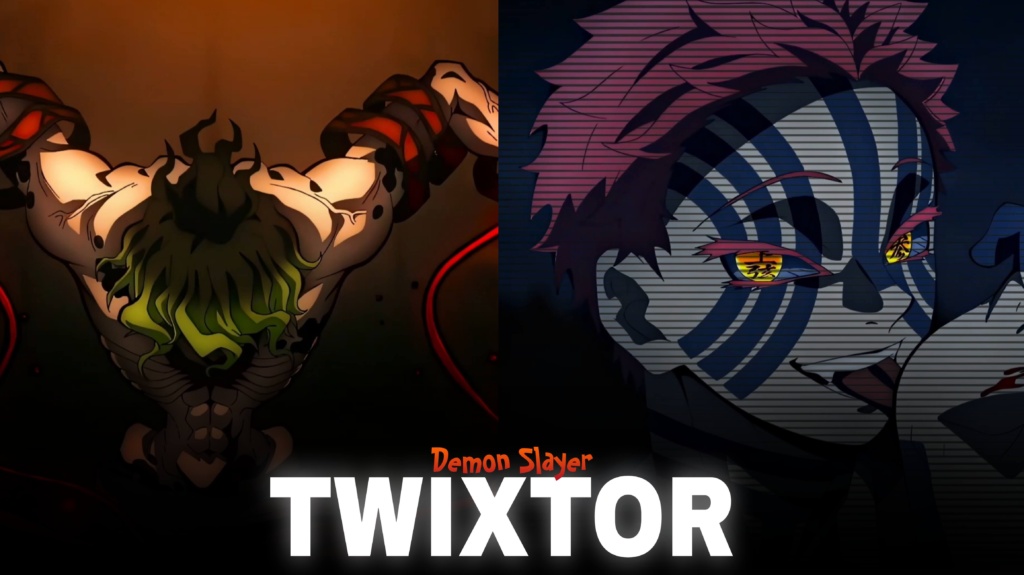
Demon Slayer is particularly appealing to editors because its demons have distinctive designs, fighting techniques, and personalities. Characters such as Akaza, Doma, Kokushibo, Gyutaro, and Muzan offer different visual styles, making it possible to create everything from aggressive battle montages to atmospheric villain edits.
Whether you’re preparing a TikTok, Instagram Reel, or YouTube Short, choose footage that matches your soundtrack and editing style. Strong source material and thoughtful timing can make a simple montage feel much more cinematic.
Why Demon Clips Work So Well for Anime Edits
The strongest Demon Twixtor Clips combine recognizable character movements with dramatic animation. Glowing eyes, powerful attacks, unusual abilities, and intense expressions can become natural focal points for transitions and slow-motion effects.
Akaza’s martial arts-inspired combat can suit fast-paced edits, while Doma’s distinctive ice-based abilities offer opportunities for cooler colour grading and atmospheric visuals. Kokushibo’s sword techniques and multiple eyes create a different mood, while Muzan’s intimidating presence works well for darker villain montages.
These contrasting styles help editors avoid making every video feel the same. A fast edit can emphasize impact and movement, while a slower montage can build suspense through close-ups, shadows, and carefully chosen music.
For more footage inspiration, explore the site’s Anime Twixtor collection.
Best Demon Twixtor Clips for Different Editing Styles
When choosing Demon Twixtor Clips, consider the character, the action, and the atmosphere you want to create.
1. Upper Moon battle edits
Fight scenes featuring powerful demons can provide strong moments for beat synchronization. Use quick cuts during intense exchanges and reserve slow motion for a key attack or dramatic reveal.
2. Dark villain edits
Character close-ups and intimidating expressions work well with deeper shadows, controlled contrast, and subtle glow effects. Keep the original animation details visible instead of making the image excessively dark.
3. Ability-focused montages
Blood Demon Arts, ice effects, sword attacks, and other supernatural abilities can form the visual theme of a montage. Match transitions to the movement or colour of each ability for a more connected result.
4. Cinematic slow-motion videos
Select moments with clear movement and readable character silhouettes. A short slowdown before a powerful action can create more impact than slowing the entire clip.
You can also browse the site’s Anime Clips collection for inspiration when planning edits across different series.
How to Create Smooth Demon Twixtor Edits
To make Demon Twixtor Clips look smoother, pay attention to the source footage, playback speed, and frame interpolation settings. Slow-motion effects can improve the presentation of movement, but complex backgrounds and rapid attacks may produce ghosting or distorted edges.
Try these editing techniques:
- Start with clear footage: Avoid heavily compressed clips whenever possible.
- Use controlled speed ramps: Accelerate or slow down at meaningful moments rather than applying the same settings everywhere.
- Synchronize cuts with music: Align attacks, expressions, and scene changes with the soundtrack.
- Balance colour grading: Keep shadows, contrast, and saturation consistent across your clips.
- Review the final export: Check fast movements for flickering, warping, and unwanted compression.
Because Demon Twixtor Clips may contain complex effects and fast action, test your chosen settings on a short section before editing the entire sequence. Exporting in 4K also does not guarantee that the original footage contains native 4K detail.
Finding Demon Twixtor Clips for Your Next Project
For Demon Twixtor Clips, look for footage with clear character movement, useful framing, and enough detail to support your preferred effects. Short sections focused on a specific attack, transformation, or expression can be easier to synchronize with music than lengthy scenes with multiple camera changes.
For vertical videos, keep the demon’s face and important action within the frame. Widescreen formats can preserve more of the original composition and provide a cinematic appearance.
Choose Demon Twixtor Clips that match the mood of your project rather than combining unrelated shots simply to increase the video’s length. Check the source resolution, watermark status, and applicable usage permissions before downloading or publishing material. Anime footage may be copyrighted, and public availability does not automatically permit redistribution or monetization.
The best demon edits combine strong visual moments with deliberate pacing. Clean transitions, controlled slow motion, and music that complements the animation can help your finished video feel powerful without excessive effects.
FAQs
1. What are Demon Twixtor Clips?
Demon Twixtor Clips are anime footage featuring demon characters that editors use for slow-motion effects, velocity edits, character montages, and cinematic videos.
2. Which Demon Slayer demons are suitable for edits?
Popular choices include Akaza, Doma, Kokushibo, Muzan Kibutsuji, Gyutaro, Daki, and other demons with distinctive abilities or memorable battle scenes.
3. How can I make demon anime edits smoother?
Use clear source footage, moderate slow motion, carefully timed speed ramps, and consistent colour grading. Inspect fast movements for interpolation artifacts before exporting.
For more anime clips and editing inspiration, visit the YouTube Channel.
About The Author