Hashira Twixtor Clips 4k | Clips For Edit
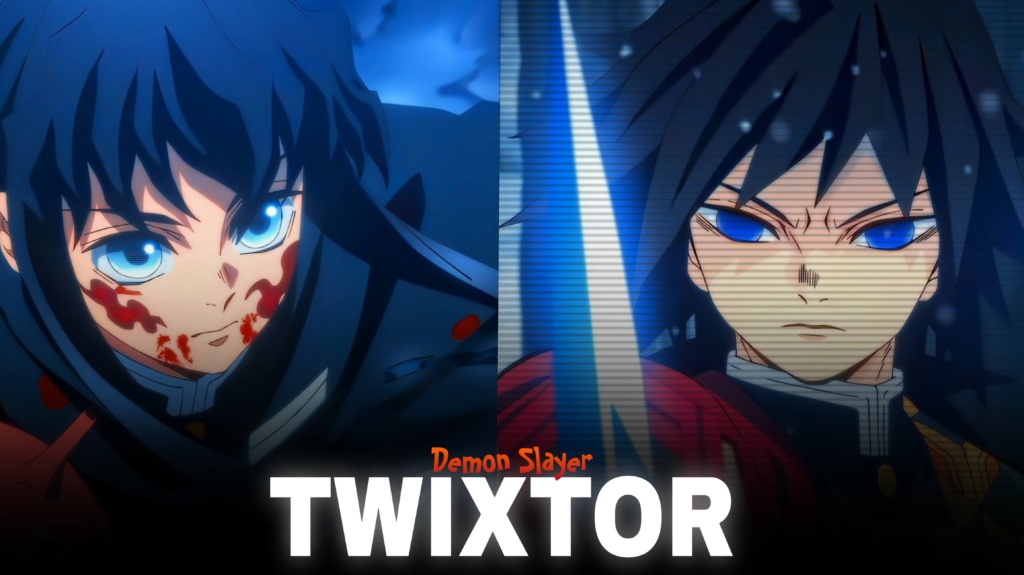
Hashira Twixtor 4K | Epic Clips For Editing - Twixtor Clips
Hashira Twixtor: Powerful Demon Slayer Clips for Epic Edits
Hashira Twixtor is a great search for Demon Slayer fans and video editors who want powerful character clips, dramatic battles, and smooth slow-motion effects. From Giyu Tomioka’s fluid Water Breathing movements to Sanemi Shinazugawa’s aggressive Wind Breathing style, the Hashira offer a wide range of visual moments for creative anime edits.
For editors, Hashira Twixtor footage can work beautifully with velocity effects, beat synchronization, cinematic colour grading, and dramatic transitions. Each character brings a different personality and fighting style, making it easier to create an edit with its own atmosphere instead of using the same effects throughout the video.
Whether you’re creating a TikTok, Instagram Reel, or YouTube Short, focus on choosing memorable scenes and matching their movement to your soundtrack.
Why Hashira Twixtor Clips Stand Out
The Hashira represent some of the most visually striking characters in Demon Slayer: Kimetsu no Yaiba. Their unique Breathing Styles, distinctive outfits, weapons, and combat movements give editors plenty of creative possibilities.
Hashira Twixtor footage can suit both fast-paced action edits and slower character montages. Flame-inspired attacks, flowing water effects, misty scenes, and explosive movements each create a different mood. You can build a montage around one character or combine several Hashira to create a larger Demon Slayer edit.
For example, Giyu and Muichiro can suit controlled, atmospheric edits, while Sanemi and Tengen can inspire faster cuts and more energetic transitions. Mitsuri and Shinobu also bring distinctive movement and colour palettes to character-focused videos.
Explore the site’s Anime Twixtor collection for more footage inspiration from different anime series.
Best Hashira Twixtor Ideas for Anime Editors
When planning a Hashira Twixtor edit, consider the kind of story you want the visuals and soundtrack to communicate.
1. Individual Hashira character edits
Choose one character and build the video around their fighting style, expressions, and most memorable movements. Consistent colour grading helps the final edit feel connected.
2. Hashira battle montages
Combine short action moments from different characters. Place the strongest attack or reveal near the main beat drop, and use clean cuts to maintain momentum.
3. Cinematic slow-motion edits
Slow down selected movements to emphasize a sword strike, dramatic expression, or character reveal. Moderate speed changes generally look cleaner than slowing every shot excessively.
4. Dark Infinity Castle edits
For a more intense atmosphere, use darker grading, subtle glow effects, and suspenseful music. Suitable footage from the Infinity Castle storyline can help create a dramatic build before the action begins.
You can also browse the site’s Anime Clips collection for additional material when planning anime montages.
How to Make Smooth Hashira Twixtor Edits
A polished edit depends on the quality of the original footage and how carefully you apply effects. Frame interpolation can improve the appearance of slow motion, but fast sword movements and complex animation may produce warping or ghosting.
Try these techniques for better results:
- Use clear source footage: Start with sharp clips and avoid heavily compressed material.
- Match movements to music: Time speed changes around important beats and action moments.
- Control the slowdown: Excessive interpolation can make fast movements look unnatural.
- Maintain consistent colours: Balance contrast and saturation when combining different characters.
- Keep effects purposeful: Motion blur, shakes, and glow should complement the scene rather than hide it.
- Check the final export: Review fast movements for flicker, distortion, and compression issues.
For smoother Hashira Twixtor clips, test the effects on a short section before applying them to the whole video. Remember that exporting in 4K does not guarantee that the original footage was recorded or produced at native 4K resolution.
Finding Hashira Twixtor Clips for Your Next Project
When searching for Hashira Twixtor clips, look for clear character movement, useful framing, and footage that matches your intended editing style. Short shots focused on one attack or expression are often easier to synchronize with music than long sequences containing multiple camera changes.
For vertical edits, keep the characters and their important movements inside the frame. Widescreen edits can preserve more of the original composition and create a cinematic feel.
Before downloading or publishing footage, check its source quality, watermark status, and usage permissions. Anime footage may be copyrighted, and public availability does not automatically permit redistribution or monetization.
A strong Hashira montage does not need excessive effects to stand out. Thoughtful pacing, clean transitions, and a soundtrack that complements each character’s movement can create a much more engaging result.
FAQs
1. What is Hashira Twixtor?
Hashira Twixtor refers to Demon Slayer Hashira footage used for slow-motion edits, speed ramps, velocity effects, and character montages.
2. Which Hashira characters can I feature in an edit?
You can create edits featuring characters such as Giyu Tomioka, Shinobu Kocho, Kyojuro Rengoku, Tengen Uzui, Muichiro Tokito, Mitsuri Kanroji, Obanai Iguro, Sanemi Shinazugawa, and Gyomei Himejima.
3. How can I make Hashira edits look more professional?
Start with clear footage, synchronize cuts with music, use controlled slow motion, and keep colour grading consistent. Review the finished export for interpolation artifacts before publishing.
For more anime clips and editing inspiration, visit the YouTube Channel.
About The Author