Tengen Uzui Twixtor 4K | Clips For Edit
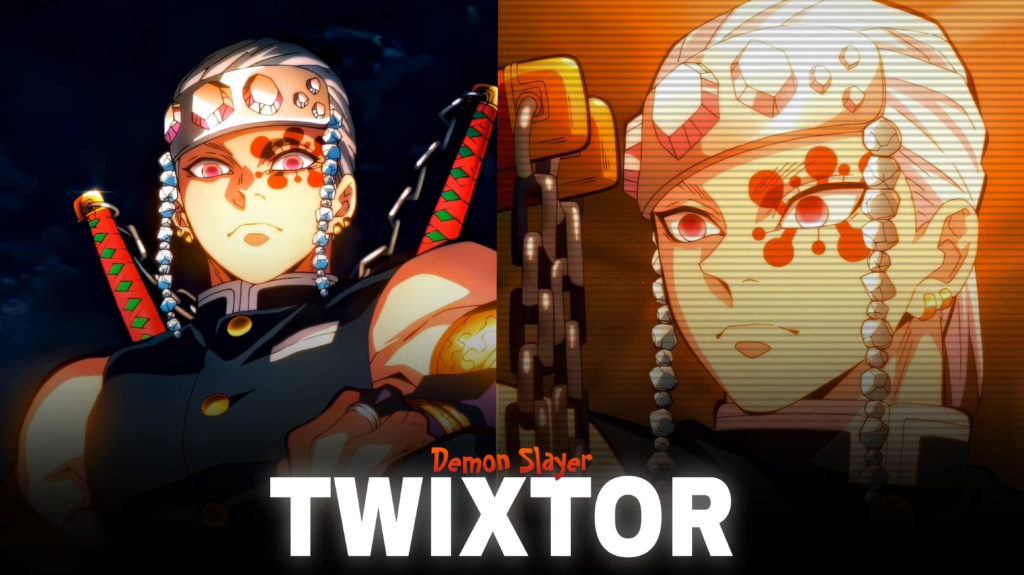
Tengen Uzui Twixtor 4K - Epic Demon Slayer Twixtor Clips
Tengen Uzui Twixtor: Flashy Sound Hashira Clips for Epic Edits
Tengen Uzui Twixtor is a popular search among Demon Slayer fans who want dynamic character footage for action edits, smooth slow-motion videos, and cinematic anime montages. The former Sound Hashira stands out through his flamboyant personality, distinctive appearance, and explosive fighting style. His chained dual swords and Sound Breathing techniques create striking moments that can make an edit feel powerful and energetic.
For editors, Tengen Uzui Twixtor footage offers plenty of creative possibilities, from fast velocity effects to dramatic close-ups and music-synchronized transitions. His battle in the Entertainment District Arc is especially useful for action-focused edits because the movement, visual effects, and changing pace provide natural points for cuts and speed ramps.
What Makes Tengen Uzui Great for Anime Edits?
Tengen has a different visual style from many other Demon Slayer characters. His jeweled headband, twin blades, muscular fighting stance, and confident expressions make his clips recognizable even in short montages.
That distinctive style makes a Tengen Uzui Twixtor edit suitable for energetic music, dramatic sound effects, and high-contrast colour grading. You can focus on his personality with character close-ups or build a more intense montage around the fight against Gyutaro.
His combat scenes also offer contrast between quick sword movements and brief pauses. Using those changes in pace can make an edit more impactful than applying the same speed to every shot.
For more footage inspiration from different anime series, browse the site’s Anime Twixtor collection.
Best Tengen Uzui Scenes for Different Editing Styles
When creating Tengen Uzui Twixtor videos, choose footage according to the mood you want to achieve.
1. Sound Breathing action
Fast attacks and sword movements work well with velocity edits. Increase the pace during a transition, then return to normal speed around the key strike to emphasize the action.
2. The Entertainment District battle
The fight against Gyutaro provides dramatic material for beat drops and intense action montages. Select clear moments of movement rather than squeezing the entire fight into a few seconds.
3. Character close-ups
Use expressions, poses, and short reaction shots for edits that introduce the character before the action begins. Subtle zooms and controlled contrast can create a cinematic look.
4. Flashy transition edits
Tengen’s bold visual identity works well with quick cuts, rhythmic flashes, and carefully timed camera movement. Keep the effects brief enough that the original animation remains easy to see.
You can explore the site’s Anime Clips collection for additional inspiration when planning a multi-character montage.
How to Make Smooth Tengen Uzui Twixtor Edits
A polished Tengen Uzui Twixtor edit depends on source quality, movement, and timing. Slow-motion interpolation can create smoother movement, but fast sword swings and detailed animation may produce distortion if the footage is slowed excessively.
Try these techniques for a cleaner result:
- Start with sharp footage: Heavily compressed clips may look worse when enlarged or slowed down.
- Sync speed ramps to the beat: Use changes in movement to create a natural rhythm.
- Apply motion blur carefully: Excessive blur can hide the detail in sword movements.
- Keep colours balanced: Maintain consistent contrast and saturation across different shots.
- Review the export: Check for flicker, ghosting, and distorted edges before uploading.
With Tengen Uzui Twixtor clips, moderation is important. A short, well-timed slowdown can deliver more impact than applying extreme slow motion to every action sequence. Also, exporting a video in 4K does not guarantee that the original footage has native 4K detail.
Finding Tengen Uzui Twixtor Clips for Your Next Project
When searching for Tengen Uzui Twixtor footage, look for clear action, useful character framing, and scenes that fit the style of your soundtrack. Short clips centred on a specific attack or expression can be easier to edit than long sequences with multiple changes in camera angle.
For vertical videos, keep Tengen’s face and sword movements inside the frame. Widescreen edits can preserve more of the original composition for a cinematic presentation.
Before downloading or sharing clips, check the resolution, watermark status, and usage permissions. Publicly available anime footage is not automatically free to redistribute or monetize, so review the relevant terms for your project.
The strongest edits let Tengen’s movement and personality provide the energy. Combine that foundation with controlled speed ramps, clean transitions, and music that complements the action instead of competing with it.
FAQs
1. What is Tengen Uzui Twixtor?
It refers to Tengen Uzui footage used for anime edits featuring slow motion, speed ramps, velocity effects, and action montages.
2. Which scenes work well for Tengen Uzui Twixtor?
His Sound Breathing attacks, character close-ups, and battle against Gyutaro in the Entertainment District Arc are useful choices for different editing styles.
3. How can I make Tengen Uzui Twixtor edits look smoother?
Use clear source footage, moderate slow motion, carefully timed speed ramps, and consistent colour grading. Check fast movements for interpolation artifacts before exporting.
For more anime clips and editing inspiration, visit the YouTube Channel.
About The Author