Pain Twixtor 4K | Clips For Edit | Naruto Twixtor
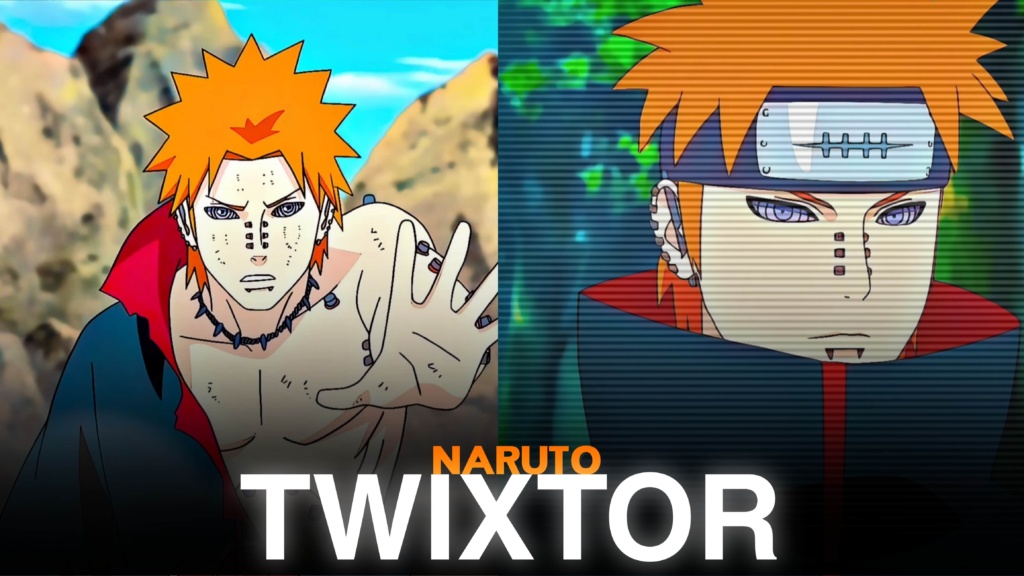
Pain Twixtor
Pain Twixtor: Six Paths of Pain Clips for Epic Naruto Edits
Pain Twixtor is a popular search among Naruto Shippuden fans and anime editors looking for powerful villain footage, Rinnegan abilities, and dramatic battle sequences. As the leader of the Akatsuki, Pain becomes one of Naruto’s most dangerous enemies, bringing destruction to the Hidden Leaf Village with his extraordinary powers. His mysterious appearance, distinctive facial piercings, and six interconnected bodies make him one of the most recognizable antagonists in the series.
Pain Twixtor footage is particularly useful for dark anime edits, cinematic montages, and high-energy velocity videos. From the devastating Shinra Tensei to the massive Chibaku Tensei, his abilities provide visually striking moments that work well with slow motion, transitions, and dramatic sound effects.
An effective Pain Twixtor edit can focus on his overwhelming strength or the philosophy behind his actions. Both approaches offer something different for editors creating TikTok videos, Instagram Reels, AMVs, and YouTube Shorts.
Why Pain Is One of Naruto’s Most Iconic Villains
Pain is more than a powerful member of the Akatsuki. His character is connected to Nagato, a former student of Jiraiya whose experiences with war and loss shaped his understanding of peace and suffering.
The Six Paths of Pain are controlled through Nagato’s Rinnegan, with each body possessing different abilities. The Deva Path is especially memorable because of its gravitational techniques, including Almighty Push and Planetary Devastation.
These abilities create plenty of editing opportunities. The combination of glowing Rinnegan eyes, chakra receivers, destroyed environments, and powerful attacks gives Pain a distinctive visual style.
For more character footage, explore the site’s Naruto Twixtor collection.
Best Pain Twixtor Scenes for Anime Edits
Choose Pain Twixtor moments according to the atmosphere and editing style you want to create.
1. Almighty Push (Shinra Tensei)
This is one of Pain’s most recognizable techniques. The destruction of the Hidden Leaf Village creates an excellent opportunity for dramatic transitions, cinematic zooms, and powerful beat drops.
2. Chibaku Tensei
The massive gravitational sphere and surrounding debris provide striking visuals for dark anime edits. Use a gradual buildup before the main effect to make the scene feel more dramatic.
3. Six Paths of Pain battle
The different bodies fighting together offer opportunities for fast cuts and multi-character montages. Alternate between the paths to create a sequence with changing movements and attack styles.
4. Pain versus Naruto
The confrontation with Sage Mode Naruto combines powerful attacks with emotional storytelling. For dedicated footage from this battle, check the site’s Naruto vs Pain Twixtor clips.
How to Create Smooth Pain Twixtor Edits
To make Pain Twixtor clips look polished, focus on source quality, movement, and careful timing. Frame interpolation can create smoother slow motion, but fast attacks, flying debris, and complex backgrounds may produce ghosting or distorted edges when slowed excessively.
Try these techniques:
- Choose clear footage: Start with sharp source material and avoid heavily compressed clips.
- Use controlled speed ramps: Slow down important attacks instead of applying extreme slow motion everywhere.
- Synchronize effects with music: Match Shinra Tensei, Chibaku Tensei, and character movements to strong beats.
- Apply dark colour grading: Balance shadows, contrast, and purple tones while preserving animation details.
- Use motion blur carefully: Excessive blur can hide Pain’s facial details and the movement of his attacks.
- Check the final export: Look for flickering, ghosting, and compression artifacts before uploading.
A careful Pain Twixtor workflow should preserve the original animation rather than overwhelm it with effects. Test your interpolation settings on a short sequence before editing the entire video.
Before exporting Pain Twixtor edits in 4K, remember that output resolution does not guarantee native 4K source quality.
Finding Pain Twixtor Clips for Your Next Project
Use Pain Twixtor footage with clear character expressions, visible Rinnegan details, and enough movement to support your preferred editing style. Short clips focused on one technique or attack are generally easier to synchronize with music than long sequences containing multiple camera changes.
For vertical videos, keep Pain’s face and important movements inside the frame. Widescreen edits can preserve more of the original composition and create a darker cinematic atmosphere.
You can also use the site’s Naruto Uzumaki Twixtor clips when creating a comparison or combined edit featuring Pain and Naruto.
Check the original resolution, watermark status, and usage permissions before downloading or publishing footage. Publicly available anime clips may still be copyrighted, so review the applicable terms before redistributing or monetizing them.
The strongest edits combine memorable scenes, controlled slow motion, and music that matches the atmosphere. Let Pain’s mysterious personality and destructive abilities create the visual impact.
FAQs
1. Who is Pain in Naruto Shippuden?
Pain is the identity used by Nagato to control the Six Paths of Pain. He is the leader of the Akatsuki and possesses the Rinnegan.
2. Which Pain scenes are best for Twixtor edits?
Shinra Tensei, Chibaku Tensei, the Six Paths battles, and his confrontation with Naruto are excellent choices for dramatic anime edits.
3. What editing style works best for Pain clips?
Dark aesthetic edits, cinematic slow motion, velocity effects, and beat-synchronized transitions work especially well with his Rinnegan abilities and powerful attacks.
For more anime clips and editing inspiration, visit the YouTube Channel.
About The Author