Naruto Uzumaki Twixtor | Clips For Edit
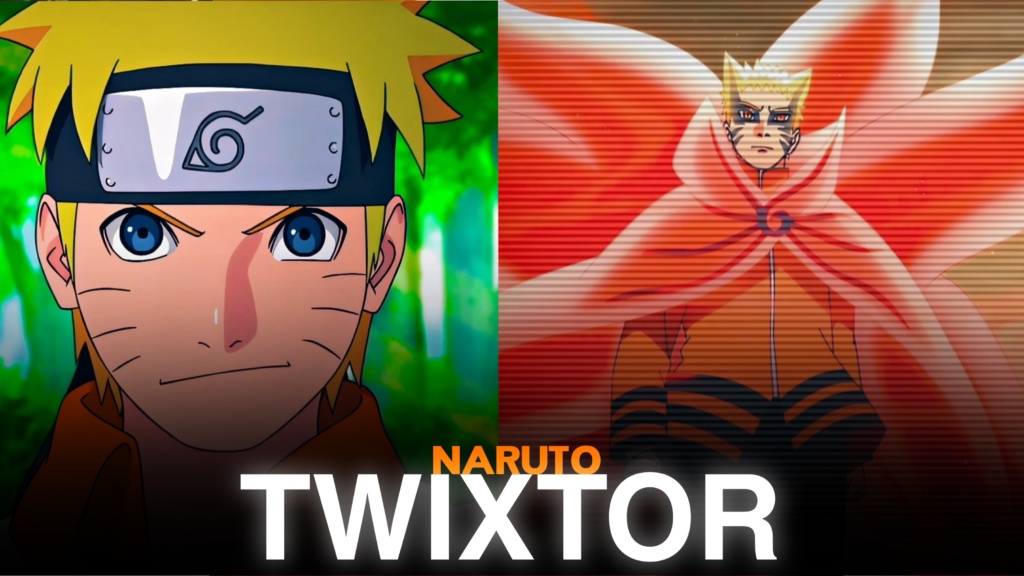
Naruto Uzumaki Twixtor
Naruto Uzumaki Twixtor: Epic Ninja Clips for Powerful Anime Edits
Naruto Uzumaki Twixtor is a popular search among anime editors looking for powerful fight scenes, memorable transformations, and emotional character moments from Naruto and Naruto Shippuden. Naruto’s journey from a lonely young ninja to the Seventh Hokage gives editors a huge variety of footage, including Rasengan attacks, Shadow Clone battles, Sage Mode, and Kurama transformations.
Naruto Uzumaki Twixtor clips are especially useful for action edits because his fighting style combines fast movements, colourful chakra effects, and dramatic finishing attacks. Whether you’re creating a TikTok, Instagram Reel, YouTube Short, or full anime montage, his scenes offer plenty of opportunities for velocity effects, slow motion, and cinematic transitions.
Why Naruto Is Perfect for Anime Twixtor Edits
Naruto is more than just a powerful shinobi. His determination, rivalry with Sasuke, friendship with Team 7, and dream of becoming Hokage make his character journey memorable. His different forms also give editors a variety of visual styles to explore.
A Naruto Uzumaki Twixtor edit can focus on his early ninja battles, his growth during Shippuden, or his strongest transformations. The orange Sage Mode appearance, golden Kurama chakra, and Six Paths abilities provide striking visuals that can make a character montage stand out.
For more footage featuring characters from the Hidden Leaf Village, explore the site’s Naruto Twixtor collection.
Best Naruto Uzumaki Twixtor Clips for Different Editing Styles
Choose scenes according to the atmosphere and energy you want your video to communicate.
1. Rasengan and Shadow Clone edits
Naruto’s signature techniques are perfect for fast-paced action videos. Use short cuts between clone attacks and a speed ramp before the Rasengan impact to create a strong beat drop.
2. Sage Mode transformation edits
Sage Mode introduces a different visual appearance and a calmer fighting style. Character close-ups followed by powerful attacks can create a cinematic edit with gradual music buildup.
3. Kurama Chakra Mode edits
Golden chakra effects, high-speed movements, and powerful attacks make this form ideal for energetic edits. Use carefully timed flashes and motion blur to complement the original animation.
4. Six Paths Naruto edits
Six Paths footage is suitable for dramatic montages and powerful transformation videos. Combine wide shots with close-ups to highlight the visual details without making the edit feel crowded.
5. Emotional Naruto moments
Not every edit needs to focus on fighting. Naruto’s interactions with Iruka, Jiraiya, Hinata, and Sasuke can create emotional character videos with slower pacing and softer transitions.
For a focused battle montage, check the site’s Naruto vs Sasuke Twixtor clips. You can also explore Naruto Opening Twixtor 4K for recognizable intro sequences.
How to Make Smooth Naruto Uzumaki Twixtor Edits
Creating polished Naruto Uzumaki Twixtor clips requires clear footage, good timing, and carefully applied effects. Frame interpolation can make slow motion smoother, but fast punches, sword movements, and chakra effects may create ghosting or distortion when slowed too aggressively.
Try these editing techniques:
- Choose sharp footage: Start with clear source material and avoid heavily compressed clips.
- Sync attacks with music: Match Rasengan impacts, transformations, and important movements to strong beats.
- Control speed ramps: Use brief slowdowns to emphasize important moments instead of slowing every shot.
- Balance colours: Keep orange, yellow, and blue chakra effects vivid without losing animation details.
- Use motion blur carefully: Excessive blur can hide Naruto’s movements and facial expressions.
- Check the final export: Review fast action for flickering, ghosting, and compression artifacts.
A 4K export does not automatically guarantee native 4K source detail. Check the original footage quality before cropping or enlarging clips for your final video.
Finding Naruto Uzumaki Twixtor Clips for Your Next Edit
When searching for Naruto Uzumaki Twixtor footage, look for clear character movements, recognizable transformations, and shots that match your preferred editing style. Short clips focused on one technique or attack are often easier to synchronize with music than long sequences with multiple camera changes.
For vertical edits, keep Naruto’s face and important movements within the frame. Widescreen projects can preserve more of the original animation and create a cinematic presentation.
Before downloading or publishing Naruto Uzumaki Twixtor clips, check the source resolution, watermark status, and applicable usage permissions. Publicly available anime footage is not automatically free to redistribute or monetize, so review the relevant copyright terms for your project.
The best Naruto edits combine memorable scenes with thoughtful pacing. Use clean transitions, controlled slow motion, and music that matches his fighting style to create a powerful video without overwhelming the original animation.
FAQs
1. What is Naruto Uzumaki Twixtor?
Naruto Uzumaki Twixtor refers to footage featuring Naruto from the Naruto anime series that editors use for slow-motion effects, velocity edits, character montages, and cinematic videos.
2. Which Naruto forms are best for Twixtor edits?
Sage Mode, Kurama Chakra Mode, Six Paths Sage Mode, and his different Rasengan attacks are excellent choices for dramatic anime edits.
3. How can I make Naruto edits smoother?
Use clear source footage, moderate slow motion, carefully timed speed ramps, and consistent colour grading. Check fast movements and chakra effects for interpolation artifacts before exporting.
For more anime clips and editing inspiration, visit the YouTube Channel.
About The Author