Mereoleona Twixtor 4K | Black Clover Twixtor
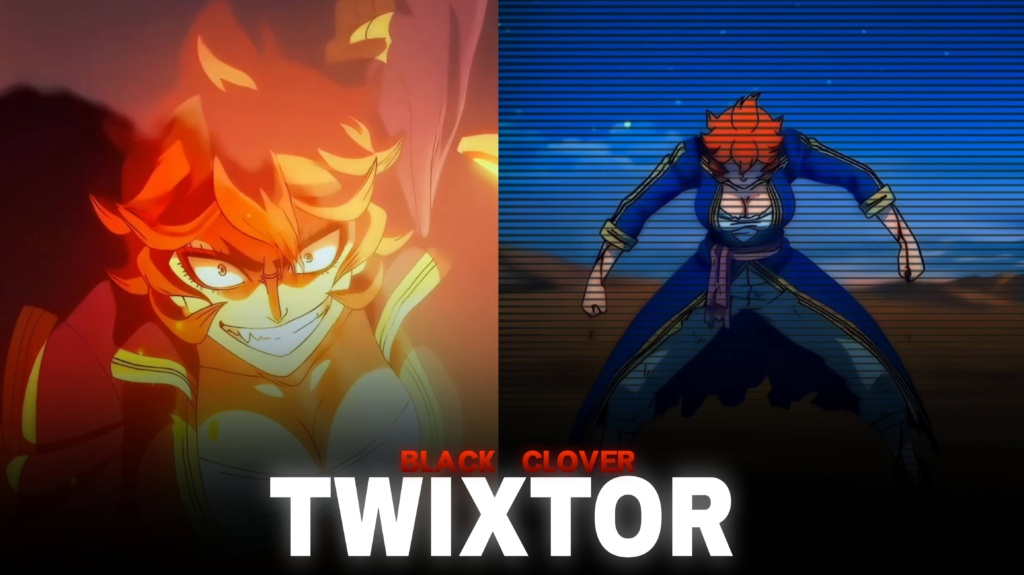
Mereoleona Twixtor 4K | Black Clover Twixtor
♦DOWNLOAD ANIME & MOVIES SCENEPACK FOR FREE♦
Download Anime Twixtor Clips for Free : https://moviestwixtor.com/anime-twixtor/
Download Anime Clips Raw For Free :https://moviestwixtor.com/anime-clips-raw/
Mereoleona Twixtor: Fierce Flame Magic Clips for Epic Edits
Mereoleona Twixtor is a popular search for Black Clover fans and anime editors who want explosive battle scenes, powerful character moments, and smooth slow-motion footage. Mereoleona Vermillion is known for her fearless personality, intense training, and extraordinary command of Flame Magic. Her aggressive combat style and blazing attacks give editors plenty of opportunities to create energetic videos with cinematic effects.
An edit built around Mereoleona Twixtor footage can combine dramatic close-ups, powerful punches, magical flames, and fast transitions. Whether you’re making a TikTok, Instagram Reel, or YouTube Short, the key is to match the footage to your soundtrack and let her fighting style provide the impact.
Why Mereoleona Stands Out in Black Clover
Mereoleona is not the kind of Magic Knight who waits for an opponent to make the first move. Her confidence, physical strength, and willingness to challenge powerful enemies make her battles feel intense from beginning to end. She values strength and determination, and her approach to combat reflects her untamed personality.
Her Flame Magic creates striking visual moments, while Mana Zone allows her to manipulate surrounding mana and expand her combat capabilities. These abilities offer different possibilities for editors, from fast-paced action montages to darker, cinematic character videos.
One effective approach is to begin with a close-up of Mereoleona’s expression, build tension with a slower transition, and then cut into a powerful flame attack when the music reaches its peak.
For more anime footage inspiration, explore the site’s Anime Twixtor collection.
Best Mereoleona Twixtor Clips for Different Editing Styles
When selecting Mereoleona Twixtor clips, consider the mood you want to create and the moments that best suit your editing style.
1. Flame Magic action edits
Her fire-based attacks work well with energetic music and sharp transitions. Use a speed ramp before a major strike, then briefly slow the movement to emphasize the impact.
2. Mana Zone battle edits
Scenes showcasing her control of surrounding mana can suit cinematic edits with dramatic pacing. Combine wider shots with close-ups to create visual variety and keep the action easy to follow.
3. Hellfire Incarnate edits
Footage featuring this form can support intense transformation edits. Build anticipation with a short introductory shot before transitioning into the most visually powerful moment.
4. Dark character montages
For a darker atmosphere, experiment with deeper shadows, controlled contrast, and warm flame highlights. Avoid excessive saturation that hides the animation’s original details.
You can also browse the site’s Anime Clips collection for inspiration when planning a montage featuring different characters.
How to Make Smooth Mereoleona Twixtor Edits
A polished Mereoleona Twixtor edit depends on clear source footage, accurate timing, and effects that complement the original animation. Frame interpolation can make slow motion appear smoother, but fast movements and complicated flame effects may produce ghosting or distorted edges when slowed excessively.
Try these techniques for better results:
- Choose sharp footage: Start with clear source material and avoid heavily compressed clips where possible.
- Synchronize attacks with music: Align punches, flame bursts, and major movements with important beats.
- Control the slowdown: Use moderate speed changes to preserve natural-looking movement.
- Balance flame colours: Keep orange and yellow highlights vivid while preserving details in darker areas.
- Use effects selectively: Motion blur, glow, and camera shake should enhance the action rather than conceal it.
- Review the export: Watch for flickering, distorted edges, and compression artifacts before uploading.
For smoother Mereoleona Twixtor results, test interpolation settings on a short sequence before applying them to the whole video. An export labelled 4K does not guarantee native 4K source detail, so check the original footage quality before cropping or enlarging it.
Finding Mereoleona Twixtor Clips for Your Next Edit
When searching for Mereoleona Twixtor footage, look for clear character movements, visible flame effects, and shots that match your chosen style. Short clips focused on a single attack or transformation are often easier to synchronize with music than lengthy sequences containing several camera changes.
For vertical videos, keep Mereoleona’s face and important combat movements inside the frame. Widescreen edits can preserve more of the original composition and create a cinematic presentation.
Before downloading or publishing clips, check the source resolution, watermark status, and usage permissions. Publicly available anime footage is not automatically free to redistribute or monetize, so review the applicable copyright terms for your project.
A strong Mereoleona Twixtor edit lets her fierce personality and powerful combat style take centre stage. Combine deliberate pacing, clean transitions, and music that complements her attacks instead of overwhelming the animation.
FAQs
1. What does Mereoleona Twixtor mean?
Mereoleona Twixtor refers to footage featuring Mereoleona Vermillion from Black Clover that editors use for slow motion, speed ramps, velocity effects, and character montages.
2. Which Mereoleona scenes work best for edits?
Flame Magic attacks, close-range battles, intense character expressions, and scenes featuring Mana Zone or Hellfire Incarnate can work well for action-focused videos.
3. How can I make Mereoleona edits look smoother?
Use clear source footage, moderate slow motion, carefully timed speed ramps, and consistent colour grading. Inspect fast movements and flame effects for interpolation artifacts before exporting.
For more anime clips and editing inspiration, visit the YouTube Channel.
About The Author