Boruto Uzumaki Twixtor | Clips For Edit
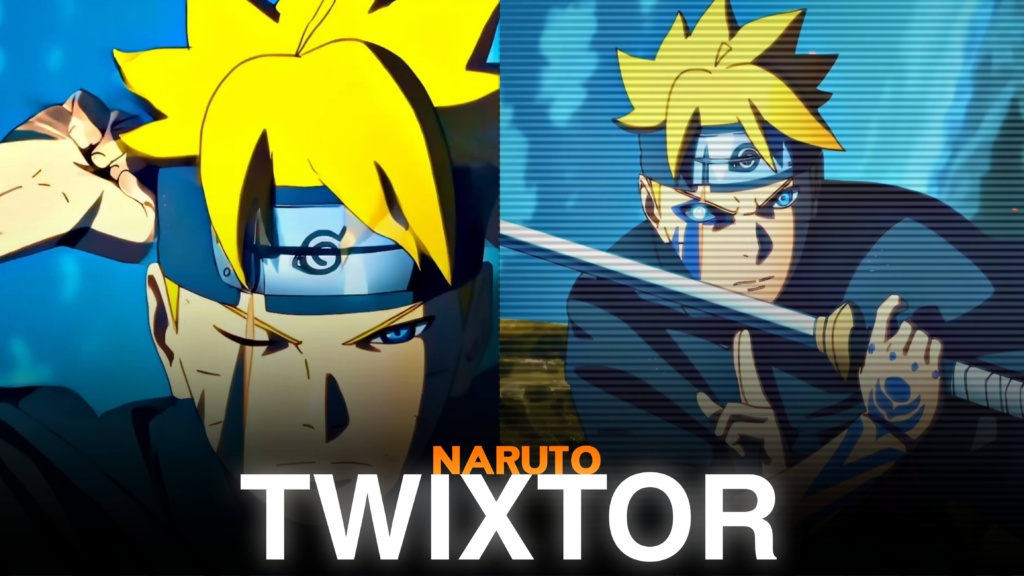
Boruto Uzumaki Twixtor
Boruto Uzumaki Twixtor: A New-Generation Ninja for Epic Edits
Boruto Uzumaki Twixtor is a strong search for editors who want ninja action and cinematic footage from Boruto: Naruto Next Generations. As Naruto and Hinata’s son, Boruto must build his own identity while carrying the expectations attached to the Hokage name.
Boruto Uzumaki Twixtor edits can combine taijutsu, Rasengan variations, Karma visuals, sword movements, and emotional scenes. These moments suit velocity edits and character montages.
What Makes Boruto Different from Naruto?
Naruto’s early journey centred on gaining recognition and protecting the village. Boruto grows up in an era of peace but struggles with his father’s demanding Hokage duties and the distance this creates at home. Over time, he develops a stronger sense of responsibility and chooses his own path as a shinobi.
That contrast gives Boruto Uzumaki Twixtor footage a distinct identity. His expressions shift from playful confidence to seriousness in battle, while relationships with Sarada, Mitsuki, Kawaki, and Sasuke add emotional context. For a family-themed montage, connect selected scenes with the site’s Naruto Uzumaki Twixtor clips.
Best Boruto Scenes for Different Editing Styles
When choosing Boruto Uzumaki Twixtor clips, think about the mood and visual rhythm you want.
1. Rasengan and lightning-style attacks
Boruto’s Rasengan variations provide natural points for speed ramps and impact cuts. Keep the action readable, then briefly slow the most important movement.
2. Karma activation moments
Karma markings create a recognisable visual change for transformation edits. Build anticipation with a close-up and time the reveal with the music’s main beat.
3. Sword-fighting and Two Blue Vortex-inspired edits
In Two Blue Vortex, Boruto returns after a period away from the village with a more composed style, stronger sword skills, and the Rasengan: Uzuhiko technique. These developments belong to the manga storyline; distinguish them from released anime footage when planning an edit.
4. Battles against powerful enemies
Connect this post with the site’s Boruto vs Jigen Twixtor clips. For the battle that links Boruto’s story with the previous generation, see Naruto and Sasuke vs Momoshiki Twixtor.
How to Make Smooth Boruto Uzumaki Twixtor Edits
A clean edit depends on source quality, motion, and timing. Frame interpolation can smooth slow motion, but fast punches, sword swings, and Karma effects may produce ghosting or warped edges when slowed too aggressively.
- Start with clear footage: Avoid blurry or heavily compressed clips.
- Use selective speed ramps: Slow a key attack or reveal instead of every scene.
- Sync cuts with music: Match impacts, movement changes, and transformations to clear beats.
- Keep colours consistent: Balance blue, black, and violet tones without hiding animation details.
- Check difficult frames: Inspect faces, hands, hair, and energy effects for flicker or distortion.
For more character footage, browse the site’s Naruto Twixtor collection. A 4K export does not guarantee native 4K source quality, so check the original resolution before cropping or enlarging clips.
Finding Boruto Uzumaki Twixtor Clips for Your Next Edit
Look for Boruto Uzumaki Twixtor footage with clear movement, readable expressions, and room for cropping. Short action or reaction shots are easier to synchronize with music. In vertical edits, keep Boruto’s face and key movements inside the frame.
Before downloading or publishing Boruto Uzumaki Twixtor clips, check the actual resolution, watermark status, and usage permissions. Publicly viewable anime footage is not automatically free to redistribute or monetize. Follow the rights and platform rules for your project.
FAQs
1. What is Boruto Uzumaki Twixtor?
It refers to Boruto footage used for anime edits featuring slow motion, velocity effects, character montages, and cinematic transitions.
2. Which Boruto scenes work best for edits?
Rasengan variations, Karma activation moments, sword-fighting sequences, and major battles are good choices for action edits and character montages.
3. How can I make Boruto edits smoother?
Use clear source footage, moderate slow motion, carefully timed speed ramps, and consistent colour grading. Check fast movements for ghosting and distortion before exporting.
For more anime clips and editing inspiration, visit the YouTube Channel.
About The Author