Vincenzo Twixtor 4K | Clips For Edit
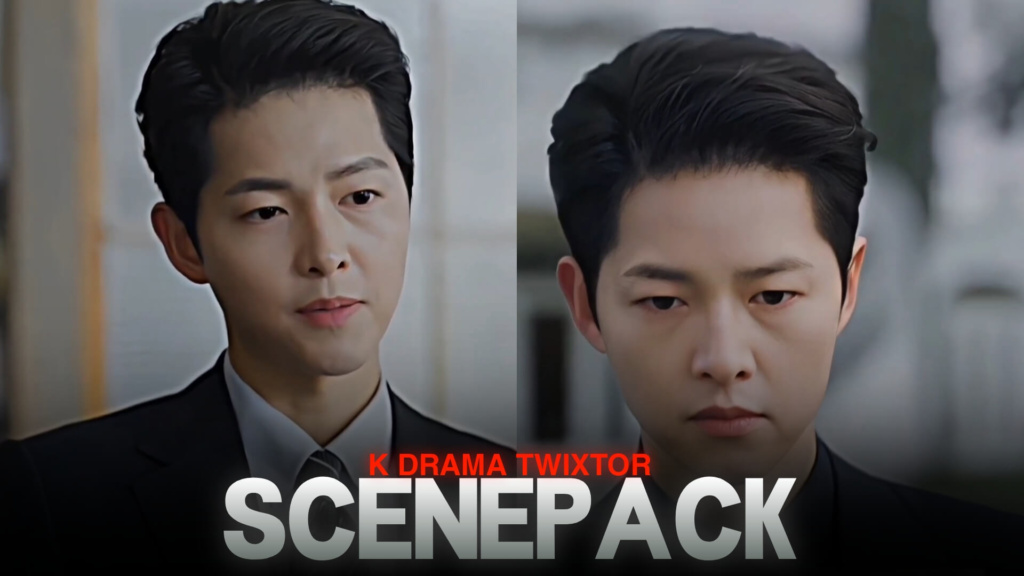
Vincenzo Twixtor 4K | Clips For Edit
Vincenzo Twixtor: Cold Looks, Ruthless Moves and Cinematic K-Drama Edits
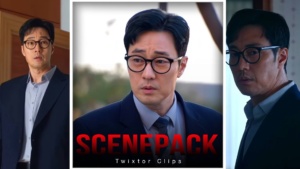
Vincenzo Twixtor is a great search for editors who want to create stylish Korean drama edits filled with confidence, mystery, and intense character moments. Played by Song Joong-ki, Vincenzo Cassano stands out through his perfectly tailored suits, controlled expressions, sharp movements, and unpredictable personality. Whether you’re making a dark edit, a cinematic character montage, or a smooth velocity edit, his scenes offer plenty of creative possibilities.
The Korean drama Vincenzo combines crime, comedy, revenge, and courtroom conflict. Its stylish visual atmosphere makes the main character especially interesting for editors who enjoy dramatic transitions and powerful beat drops.
Why Vincenzo Is Perfect for Character Edits
Vincenzo’s appeal comes from the contrast between his calm appearance and dangerous intentions. He rarely needs exaggerated movements to make a scene memorable. A slow turn, a direct stare, or a subtle smile can create the tension an editor needs for a powerful sequence.
With Vincenzo Twixtor clips, you can build edits around these small details rather than relying entirely on fast action. Start with a close-up, add a gradual zoom, and transition into a more intense moment when the beat changes. This approach works particularly well with dark instrumentals, dramatic audio, and cinematic sound effects.
For more editing inspiration, explore the site’s movies clips collection and movies Twixtor category for other screen-based editing ideas.
Best Scenes to Look for in a Vincenzo Edit
The most useful scenes depend on the mood you want to create. Instead of placing every available moment into one montage, choose clips that build a clear visual story.
1. Suit and entrance scenes
Vincenzo’s formal outfits and confident entrances work well for aesthetic edits. Try a slow-motion reveal, subtle camera shake, and a clean transition that follows the music.
2. Cold expressions and close-ups
His facial expressions are ideal for edits built around tension. Keep the opening simple, use a short speed ramp, and let the close-up remain visible long enough for viewers to appreciate the expression.
3. Action and confrontation moments
Fights and confrontations can provide strong beat-sync opportunities. Combine a few short cuts with carefully timed slow motion instead of slowing down every frame.
4. Dark, dramatic character moments
For a more serious edit, focus on scenes where Vincenzo appears calculating or emotionally distant. Low-saturation grading and restrained transitions can help maintain the atmosphere.
How to Make Smooth Vincenzo Twixtor Edits
When working with Vincenzo Twixtor footage, choose source clips with clear movement and minimal motion blur whenever possible. Smooth slow motion depends on the original frame rate, image quality, and the motion between frames. Optical-flow tools can help generate intermediate frames, but they may create distortions around fast movements or overlapping objects.
For a clean result, follow these editing tips:
- Match the beat: Place important movements and expression changes on meaningful beats.
- Use speed ramps selectively: Move from normal speed to slow motion at moments that deserve attention.
- Keep color grading consistent: Use similar contrast, shadows, and skin tones throughout the edit.
- Avoid excessive effects: Too much sharpening, glow, or camera shake can hide the original scene.
- Check the export: Review the finished video for flickering, warped frames, and unwanted compression.
If you’re collecting footage for different projects, the site’s anime Twixtor collection can also help you explore another style of character editing.
Finding Vincenzo Twixtor Clips for Free
Editors searching for Vincenzo Twixtor may want footage suitable for 4K timelines, vertical edits, or high-quality character montages. Before downloading any clip, check its actual resolution, frame rate, file format, and watermark status. A 4K export does not automatically make lower-resolution source footage genuinely 4K.
Choose clips that suit your intended platform. For TikTok and Reels, a vertical crop with the character positioned near the center can work well. For widescreen edits, preserve the original composition where possible and avoid enlarging footage beyond what its quality can support.
Remember that downloaded drama footage may still be copyrighted. Check the relevant permissions and platform rules before publishing or monetizing an edit.
FAQs
1. What is Vincenzo Twixtor used for?
It refers to footage of Vincenzo Cassano that editors use for slow-motion sequences, velocity edits, character montages, and cinematic K-drama videos.
2. Can I use Vincenzo clips for 4K edits?
Yes, if your source footage and editing workflow support the quality you want. Exporting at 4K alone cannot restore detail missing from a lower-resolution source.
3. How can I make a Vincenzo edit look smoother?
Use suitable source footage, apply speed changes selectively, sync movements with the soundtrack, and inspect optical-flow results for visual distortions.
For more editing inspiration and video content, visit the YouTube Channel.
About The Author