Ayame Moriya Twixtor 4K
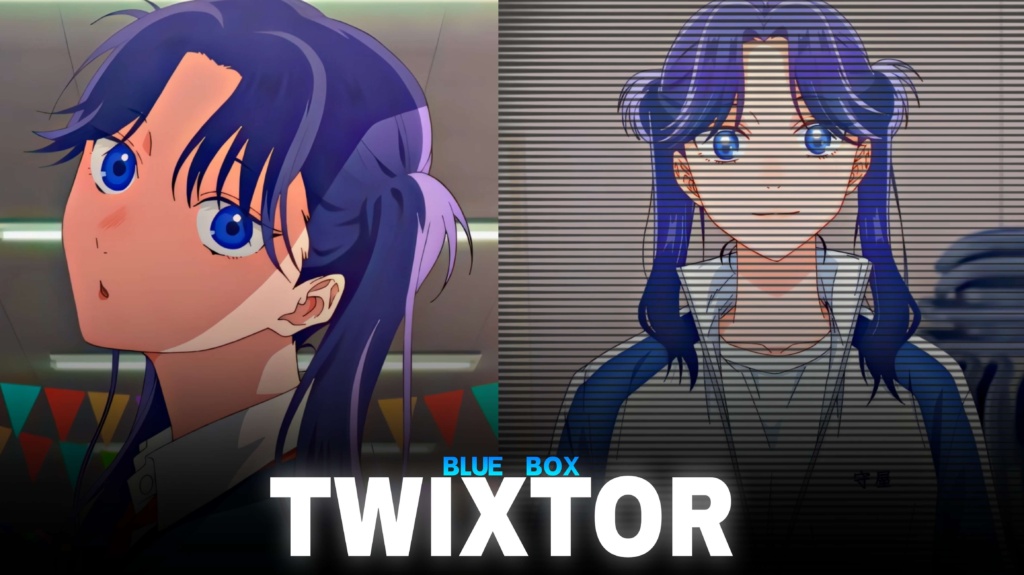
Ayame Moriya Twixtor 4K
Ayame Moriya Twixtor: Cute Blue Box Clips for Creative Edits
Ayame Moriya Twixtor is a useful search for Blue Box fans and anime editors who want cute character clips, expressive moments, and smooth footage for aesthetic videos. Ayame Moriya brings a lively personality to the series, with her outspoken attitude, playful approach to romance, and involvement with the Eimei High badminton team. Her distinctive appearance and reactions give editors plenty of options for character-focused montages.
For editors, Ayame Moriya Twixtor footage can suit soft transitions, romantic anime edits, short-form videos, and music-synchronized compilations. Instead of relying on flashy effects, focus on the expressions, gestures, and timing that make each scene interesting.
Whether you’re preparing a TikTok, Instagram Reel, or YouTube Short, selecting scenes that match your soundtrack can make the finished video feel more polished and engaging.
Why Ayame Moriya Stands Out in Blue Box
Blue Box combines sports, friendship, and romance, giving its characters moments that range from lighthearted comedy to emotional conversations. Ayame adds a playful energy to that mix. Her direct opinions and relaxed attitude toward relationships create memorable reactions that work well in character edits.
An Ayame Moriya Twixtor edit can take several creative directions. A cute aesthetic video might use softer colours and gentle transitions, while a more energetic montage could emphasize expressive reactions through quick cuts and beat synchronization.
Her purple hair and school-uniform scenes can also help establish a consistent visual style. When combining several shots, try to maintain similar brightness and colour tones so the final video feels connected rather than like a random collection of clips.
For footage inspiration from other anime series, explore the site’s Anime Twixtor collection.
Best Ideas for Ayame Moriya Twixtor Edits
When choosing Ayame Moriya Twixtor clips, think about the mood and story you want the video to communicate.
1. Cute aesthetic edits
Use expressive reactions, smiles, and lighthearted moments with gentle zooms and smooth transitions. Pastel tones can complement a softer visual style without making the image look washed out.
2. Romantic anime montages
Scenes involving friendships and relationship conversations can work well with slower pacing and music that builds gradually. Keep the edit focused on the characters’ expressions rather than adding too many effects.
3. Beat-sync edits
For a more energetic approach, align quick cuts with the rhythm of the soundtrack. Save the most expressive reaction or visual change for a prominent beat to make the transition feel intentional.
4. Character-focused compilations
Arrange several scenes to show different sides of Ayame’s personality. Alternating between playful reactions and calmer moments adds variety and makes the character edit more engaging.
You can also browse the site’s [Anime Clips collection](https://moviestwix tor.com/category/anime-clips/) for more inspiration when planning anime edits.
How to Edit Ayame Moriya Twixtor Clips Smoothly
A polished Ayame Moriya Twixtor edit depends on clear source footage, careful timing, and effects that suit the original animation. Slow-motion interpolation can help smooth certain movements, but excessive slowdown may create ghosting or unnatural motion.
Try these editing techniques:
- Start with clear footage: Avoid heavily compressed clips when possible.
- Match cuts with music: Use facial expressions or scene changes to mark important beats.
- Keep slow motion subtle: Moderate speed adjustments often look more natural than extreme slowing.
- Maintain consistent colours: Match brightness, contrast, and saturation between shots.
- Use transitions carefully: Simple fades, clean cuts, and gentle zooms often suit character edits.
- Check the final export: Review the video for flickering, distortion, and compression artifacts.
A 4K export does not automatically mean the original footage has native 4K detail. Check the source quality before editing, especially if you plan to crop or enlarge the footage for vertical videos.
Finding Ayame Moriya Twixtor Clips for Your Next Edit
Look for Ayame Moriya Twixtor clips that feature clear expressions, suitable framing, and enough visual detail for your editing style. Short scenes can be easier to synchronize with music than longer sequences containing several camera changes.
For vertical edits, keep Ayame’s face and important movements visible inside the frame. For widescreen montages, preserving more of the original composition can help maintain the atmosphere of the scene.
Before downloading or publishing footage, check the source resolution, no-watermark status, and usage permissions. Publicly available anime footage is not automatically free to redistribute or monetize, so review the relevant copyright terms for your project.
The best results come from combining well-chosen scenes with thoughtful pacing. Let the character’s personality guide the edit, then use music, colour grading, and transitions to bring the visuals together.
FAQs
1. Who is Ayame Moriya in Blue Box?
Ayame Moriya is a supporting character in Blue Box, also known as Ao no Hako. She is a student at Eimei High and serves as the badminton club’s manager.
2. What types of videos can I create with Ayame Moriya Twixtor?
You can create cute aesthetic edits, character compilations, romantic anime montages, slow-motion videos, and music-synchronized short-form content.
3. How can I make Ayame Moriya Twixtor edits smoother?
Use clear footage, moderate slow motion, consistent colour grading, and well-timed transitions. Review the finished export for visual artifacts before publishing.
For more anime clips and editing inspiration, visit the YouTube Channel.
About The Author