Naruto Opening Twixtor 4K | Twixtor Anime
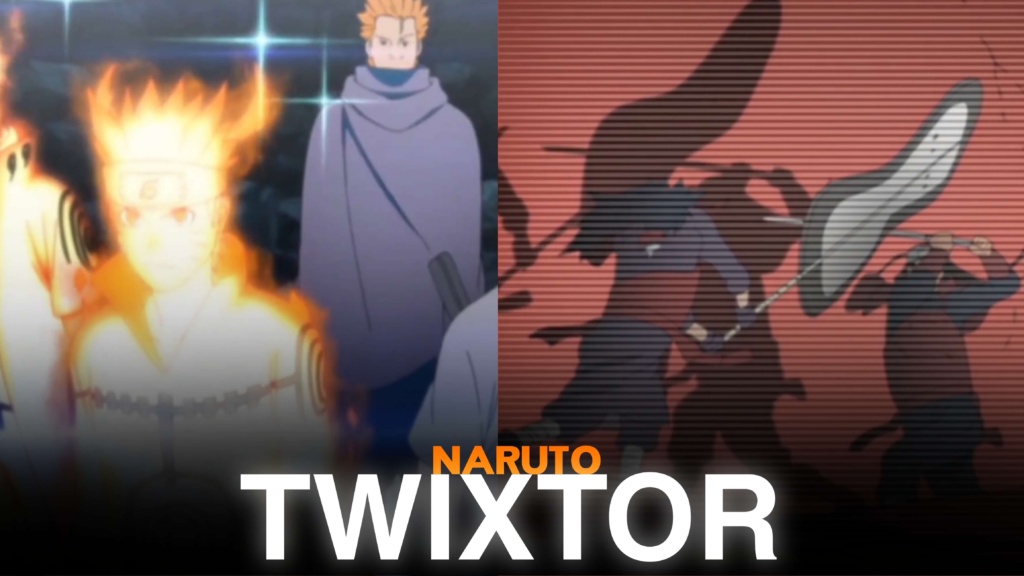
Naruto Opening Twixtor 4K | Twixtor Anime
Naruto Opening Twixtor 4K: Iconic Anime Intro Clips
Naruto Opening Twixtor 4K is a great search for anime editors looking for iconic intro sequences, memorable character appearances, and cinematic footage for creative videos. From the original Naruto series to Naruto Shippuden, the opening animations bring together recognizable characters, intense battles, emotional moments, and impressive visual compositions.
A Naruto Opening Twixtor 4K edit can combine these memorable visuals with smooth slow motion, velocity effects, beat synchronization, and creative transitions. The opening sequences are particularly useful for AMVs, TikTok edits, Instagram Reels, and YouTube Shorts because they often contain several characters and different animation styles within a short runtime.
Why Naruto Openings Are Perfect for Anime Edits
One reason Naruto Opening Twixtor 4K footage attracts editors is the variety of scenes available across the series. Some openings emphasize Team 7 and the early adventures, while others feature Akatsuki members, the Uchiha clan, the Fourth Great Ninja War, and powerful character transformations.
The music also plays an important role. Openings such as Haruka Kanata, GO!!!, Blue Bird, and Sign have distinctive rhythms and visual identities that can inspire different editing approaches.
You can create a nostalgic edit using classic Naruto visuals or a darker montage featuring Shippuden characters. For more character-specific footage, explore the site’s Naruto Twixtor collection.
Best Naruto Opening Twixtor Ideas for Different Editing Styles
When choosing Naruto Opening Twixtor 4K clips, think about the atmosphere and visual rhythm you want your final video to have.
1. Classic Naruto opening edits
Use early character introductions, Team 7 scenes, and nostalgic animation sequences. Soft transitions and original soundtrack timing can create a memorable classic anime montage.
2. Naruto Shippuden opening edits
A Naruto Opening Twixtor 4K montage can focus on dramatic character reveals, Akatsuki appearances, and intense battle visuals. Faster cuts and controlled speed ramps work particularly well with energetic music.
3. Character-focused opening edits
Select scenes featuring Naruto, Sasuke, Sakura, Kakashi, Itachi, or Madara. If you want to extend a Madara-focused montage, connect it naturally with the site’s Madara Uchiha Twixtor clips.
4. Cinematic beat-sync edits
Opening animations often include fast scene changes that can be synchronized with music. Use important character reveals and action moments as transition points instead of adding effects to every cut.
For a different character-focused project, the site’s Minato Namikaze Twixtor clips are another useful editing resource.
How to Make Smooth Naruto Opening Twixtor 4K Edits
For Naruto Opening Twixtor 4K edits, source quality and careful timing matter just as much as the visual effects. Anime openings frequently contain rapid cuts, camera movement, and detailed backgrounds, which can make aggressive frame interpolation look unnatural.
Try these techniques for better results:
- Choose clear footage: Start with sharp source clips and avoid heavily compressed video.
- Match the music: Synchronize important character appearances and scene changes with the soundtrack.
- Use controlled slow motion: Avoid extreme slowing during fast action or rapidly changing frames.
- Apply consistent colour grading: Keep brightness, contrast, and saturation balanced across different openings.
- Use clean transitions: Simple cuts, subtle zooms, and carefully timed effects can preserve the original animation.
- Check the final export: Look for ghosting, flickering, and distorted edges before uploading.
For a clean Naruto Opening Twixtor 4K result, test your interpolation settings on short sequences before applying them to the entire video. Remember that a 4K export does not automatically mean the original footage has native 4K detail.
Finding Naruto Opening Twixtor 4K Clips for Your Next Project
Choose Naruto Opening Twixtor 4K clips with clear character movement, recognizable scenes, and useful framing. Short sections are usually easier to synchronize with music than an entire opening containing many unrelated shots.
A Naruto Opening Twixtor 4K download should be checked for its original resolution, frame rate, watermark status, and editing suitability before you begin. For additional unprocessed material, browse the site’s Anime Clips Raw collection, which includes a dedicated Naruto clips section.
For vertical edits, keep character faces and important action inside the frame. Widescreen projects can preserve more of the original composition and give the opening animation a cinematic appearance.
Also remember that anime opening footage and theme songs may be copyrighted. Public availability does not automatically grant redistribution or monetization rights, so check the applicable permissions before publishing your finished edit.
FAQs
1. What is Naruto Opening Twixtor 4K?
It refers to Naruto anime opening footage used for high-resolution character edits, smooth slow motion, velocity effects, and cinematic AMVs.
2. Which Naruto openings are popular for anime edits?
Haruka Kanata, GO!!!, Blue Bird, and Sign are recognizable opening themes that provide inspiration for nostalgic and action-focused edits.
3. How can I make Naruto opening edits smoother?
Use clear source footage, moderate slow motion, carefully timed speed ramps, and consistent colour grading. Check fast scene changes for interpolation artifacts before exporting.
For more anime clips and editing inspiration, visit the YouTube Channel.
About The Author