Max Mayfield Twixtor 4K
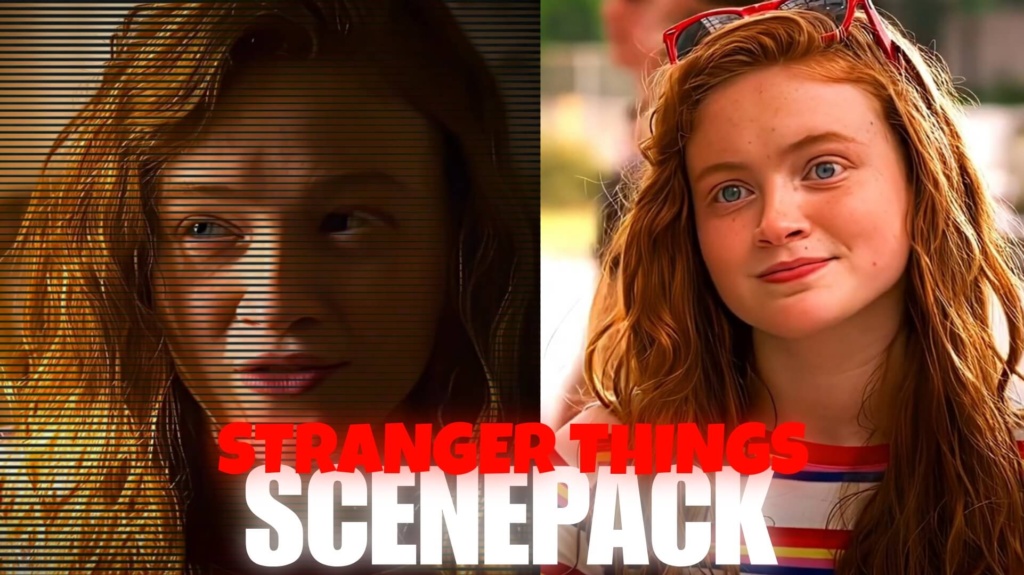
Max Mayfield Twixtor 4K
Max Mayfield Twixtor : Bring Max Mayfield Into Your Next Edit
With her skateboard, arcade skills, sharp attitude, and independent personality, Max Mayfield brought a fresh energy to Stranger Things when she arrived in Season 2. Played by Sadie Sink, Max quickly became part of the Hawkins group while keeping her own style and refusing to be defined by anyone else. Her story later takes a much darker turn as she becomes a target of Vecna.
Max Mayfield Twixtor is a great starting point for editors who want to capture both sides of her character: the confident girl who loves a challenge and the vulnerable friend fighting through frightening experiences. That contrast offers more creative possibilities than simply collecting clips and adding a slow-motion effect.
Skateboards, Arcades, and the MADMAX Attitude
Max’s introduction gives editors plenty of material for energetic videos. Her skateboarding, competitive arcade moments, and confident expressions suit fast cuts and music-driven transitions. For this style of Max Mayfield Twixtor, choose footage with clear movement and let the rhythm of the soundtrack determine when the speed changes.
A few editing ideas to try:
- MADMAX aesthetic: Use quick cuts, punchy transitions, and a slightly retro color grade.
- Skateboarding edit: Emphasize movement with carefully timed speed ramps.
- Arcade-inspired video: Match scene changes to electronic beats and bright visual accents.
- Character introduction: Start with a close-up, then reveal a sequence of her most confident moments.
Keep effects controlled so the original performance remains visible. A clean edit with well-timed cuts can feel more energetic than one overloaded with shakes and flashes.
The Emotional Side of Max’s Story
Max is more than the confident newcomer who challenges the boys at the arcade. Her relationship with Billy, her growing friendship with Eleven, and her romance with Lucas add complexity to her character. Season 4 brings a particularly intense storyline as Vecna targets her and her friends struggle to protect her.
This gives Max Mayfield Twixtor a different creative direction: an emotional edit built around isolation, memories, friendship, and hope. Use slower pacing and longer shots instead of cutting on every beat. A gradual transition from brighter scenes to darker ones can communicate a shift in mood without needing excessive visual effects.
For related footage, explore the Max Season 5 scenepack collection or combine your project with the Lumax Season 5 scenepack for a video centered on Max and Lucas.
How to Make Slow Motion Look Smooth
When editing Max Mayfield Twixtor, begin with a high-quality source clip and select a moment with clear, readable movement. Import it into After Effects or another compatible editor, trim the section, and apply your preferred time-remapping or slow-motion effect.
Avoid immediately choosing an extreme slowdown. Skateboarding and other fast movements can produce visual warping when frames are blurry or objects overlap. Preview the result carefully, reduce the effect if necessary, and try a different section if the motion looks unnatural.
Next, adjust color and contrast to suit the scene. Warm tones can complement nostalgic moments, while cooler shadows may suit the darker parts of Max’s story. Keep facial details visible and use transitions that support the soundtrack rather than distract from it.
Build a Complete Stranger Things Fan Edit
One approach to Max Mayfield Twixtor is to structure your video like a mini character story: introduce her confidence, show her connections with the group, and finish with a more emotional moment. This gives the edit a clear progression and helps viewers connect with the character.
You can also explore Eleven Season 5 Twixtor clips for a friendship-themed project, or browse the Movies Clips collection for footage that fits a broader series edit.
Before downloading Max Mayfield Twixtor footage, check the relevant page for available files and verify the actual resolution, format, frame rate, and watermark status. Do not assume every file has the same specifications.
Max’s combination of fearless attitude and emotional depth makes her a versatile subject for fan edits. With carefully selected scenes, natural-looking slow motion, and music that fits the mood, you can create a video that feels true to the character.
FAQs
1. What scenes work best for Max Mayfield edits?
Skateboarding, arcade moments, scenes with Eleven and Lucas, and emotionally intense moments involving Vecna can all work well.
2. Can I use Max Mayfield clips for slow-motion effects?
Yes. Compatible footage can be slowed using Twixtor or other time-remapping tools. Smoothness depends on the original footage and your settings.
3. What should I check before downloading Max clips?
Confirm the file’s resolution, frame rate, format, and watermark status on the download page before using it in your project.
SUBSCRIBE TO YOUTUBE
About The Author