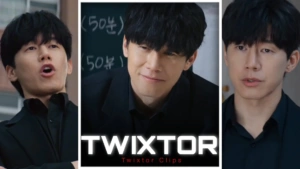
Yeon Si-eun Twixtor 4K – Clips For Edit
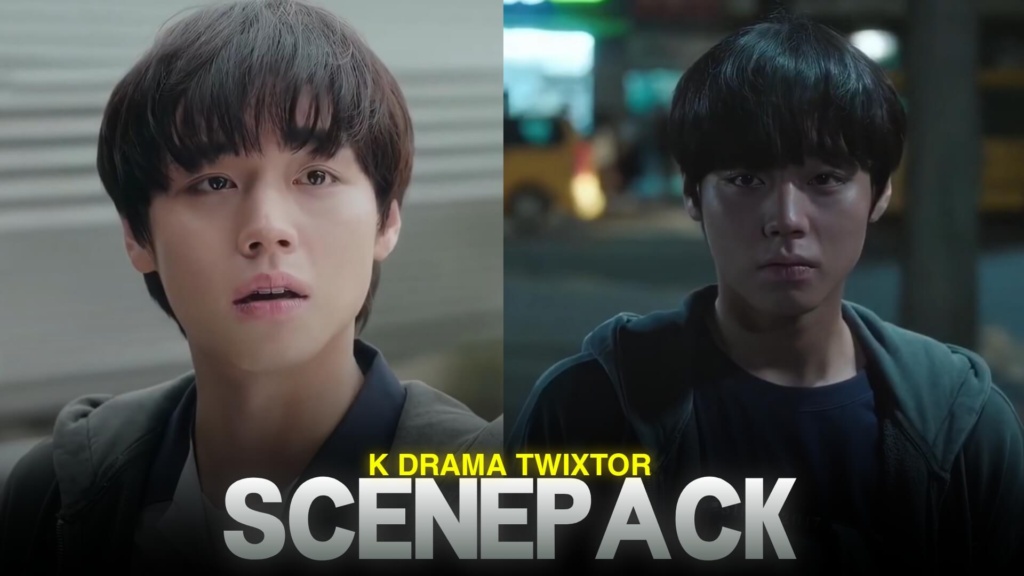
Yeon Si-eun Twixtor 4K - Clips For Edit
Yeon Si-eun Twixtor: Cold Intelligence and Ruthless Fight Scenes
Yeon Si-eun Twixtor is perfect for editors who enjoy intelligent characters, dark atmospheres, and fight scenes that rely on strategy rather than brute strength. Played by Park Ji-hoon in Weak Hero Class 1, Yeon Si-eun appears quiet and focused, but his ability to study his opponents and use his surroundings makes him a formidable character. His sharp expressions, calculated reactions, and sudden bursts of action create excellent material for cinematic edits.
Unlike characters who rely on physical power alone, Si-eun often wins by observing details and making quick decisions. That makes his edits especially interesting: a quiet stare can build tension before a fast sequence transforms the entire mood.
Why Yeon Si-eun Is Ideal for Dark Edits
The appeal of Yeon Si-eun Twixtor comes from the contrast between his reserved personality and the intensity of his actions. His scenes can suit aggressive music edits, slow-motion close-ups, psychological montages, and videos focused on character aura.
For a darker style, use restrained colors, strong contrast, and transitions that follow the soundtrack. You do not need to apply an effect to every frame. Sometimes a clean close-up followed by a perfectly timed cut creates more impact than a complicated transition.
If you’re collecting footage for other character edits, explore the site’s movies clips collection for more editing inspiration.
Best Yeon Si-eun Moments for Twixtor Edits
1. Cold expressions and intense close-ups
Si-eun’s focused expressions work well as opening shots. Begin with a slow zoom or a short pause, then transition into the main beat. These moments are especially useful for edits that emphasize intelligence, confidence, or emotional distance.
2. Strategic fight sequences
His fights often involve observation, timing, and using the environment. With Yeon Si-eun Twixtor clips, you can slow down a dodge or reaction before returning to normal speed for the next movement. Keep the sequence focused so viewers can follow the action.
3. Powerful turning points
Moments when Si-eun stops tolerating intimidation can provide the strongest part of an edit. Build anticipation with quieter footage, then use a beat drop to introduce the decisive moment.
4. Emotional scenes with Su-ho and Beom-seok
His friendships are an important part of Weak Hero Class 1. Including a few emotional scenes can add depth to a montage and show more of the character than fight footage alone.
How to Create Smooth Yeon Si-eun Twixtor Clips
A polished Yeon Si-eun Twixtor edit starts with clear source footage and careful timing. Slow motion can highlight small movements, but excessive interpolation may distort fast action, particularly when arms, faces, or objects overlap.
Use these techniques to improve your results:
- Time cuts to the beat: Match important expressions and movements to key points in the audio.
- Use speed ramps selectively: Save slow motion for meaningful actions rather than slowing every scene.
- Keep the grading consistent: Dark tones can suit the series, but preserve facial details and natural skin tones.
- Avoid overusing effects: Too many flashes and shakes can make the edit feel cluttered.
- Review frame quality: Watch for flickering, warped movements, and compression after rendering.
For a different genre of character footage, visit the site’s anime Twixtor collection.
Finding Yeon Si-eun Twixtor Clips for Free
If you’re searching for Yeon Si-eun Twixtor footage for a new project, check the actual resolution, frame rate, and watermark status before downloading. A 4K export does not guarantee genuine 4K source detail, especially when the original footage has been upscaled.
For vertical edits on TikTok, Instagram Reels, and Shorts, keep Si-eun’s face and important movements inside the crop. Widescreen edits can preserve more of the original scene and its atmosphere. Choose clips that match your project’s quality requirements rather than relying on effects to fix poor source footage.
Remember that drama footage may be copyrighted. Check applicable permissions before redistributing clips or monetizing your finished edit.
FAQs
1. Who plays Yeon Si-eun in Weak Hero Class 1?
Yeon Si-eun is played by Park Ji-hoon, who portrays the academically gifted student who uses strategy and his surroundings to confront bullies.
2. What types of edits can I make with Yeon Si-eun Twixtor clips?
You can create dark character edits, fight montages, velocity edits, cinematic close-ups, and emotional videos featuring moments from Weak Hero Class 1.
3. How can I make Yeon Si-eun slow-motion edits smoother?
Use clear source footage, apply speed changes selectively, and inspect interpolated frames for distortion before exporting.
For more video content and editing inspiration, visit the YouTube Channel.
About The Author