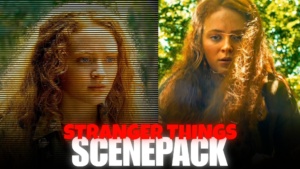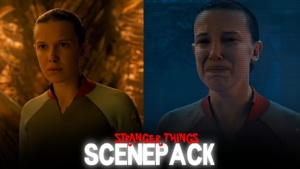
Vecna Twixtor Clips | S05 Vol 01
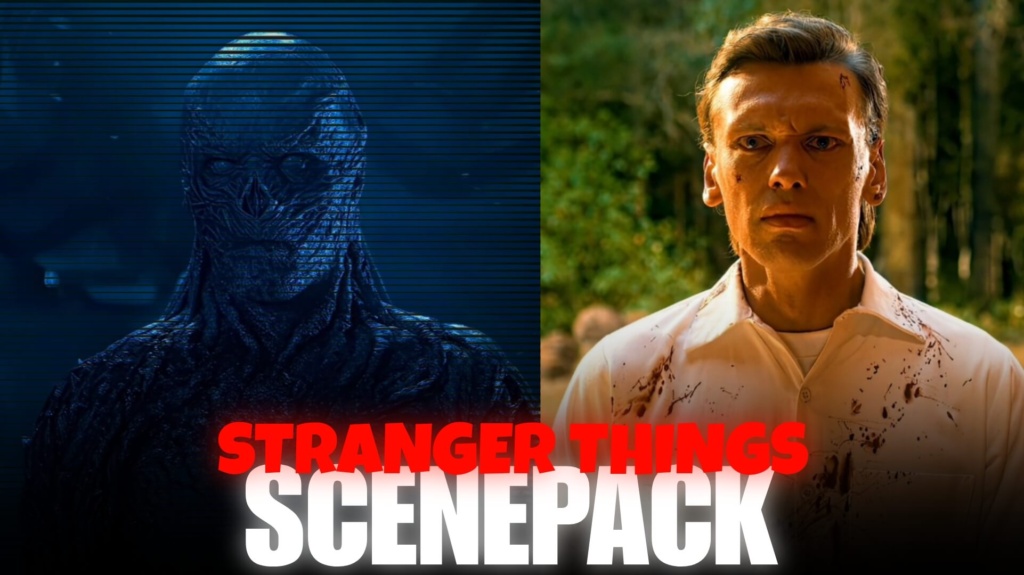
Vecna Twixtor Clips | S05 Vol 01
Vecna Twixtor Clips 4K Free: 7 Ultimate, Dark Edits
Vecna Twixtor Clips are perfect for editors who want to create dark, cinematic Stranger Things edits with intense close-ups, supernatural effects, and an eerie atmosphere. As one of the series’ most terrifying villains, Vecna brings a distinctive visual style that works especially well with dramatic music, glitch transitions, and slow-motion effects. Whether you are creating a villain edit, an aesthetic video, or a fan-made scene compilation, high-quality footage can help make your project stand out. Use these clips to experiment with 4K visuals, powerful transitions, and creative color grading.
Download Vecna Twixtor Clips Free
Clip Details
Format: MP4 (H.264) | Resolution: 4K (3840×2160) + 1080p Full HD | Speed: 25% Twixtor processed | Watermark: None | Signup: None | Cost: Free
Use the download option available on this post to access the provided files. Check the available resolution and format before importing the footage into your editing software. You can also explore the [Stranger Things Season 5 trailer Twixtor clips](https://moviestwix tor.com/stranger-things-season-5-trailer-twixtor/) for more footage inspiration.
About These Vecna Twixtor Clips
Vecna’s terrifying appearance, supernatural abilities, and connection to the Upside Down make his scenes suitable for dramatic fan edits. The best footage for your project depends on the clips available in the download pack.
Here are seven editing themes to explore:
- Vecna close-ups — emphasize his unsettling expressions with a slow zoom and carefully timed cuts.
- Upside Down atmosphere — use dark backgrounds and eerie lighting to create suspense.
- Red lightning effects — combine suitable footage with flashes and transitions for an intense visual style.
- Supernatural power moments — highlight available scenes that show Vecna using his abilities.
- Henry Creel character edits — explore the connection between Henry Creel and Vecna for a story-focused video.
- Horror-style transitions — add glitches, shakes, and short cuts to match darker music.
- Villain introduction edits — build tension with a gradual reveal, dramatic sound design, and a final close-up.
These are editing ideas rather than a verified list of individual episodes or scenes. Choose footage that matches the actual source clips. All clips are pre-processed at 25% Twixtor speed in MP4 format.
For related characters, check the William Byers Stranger Things scenepack and Steve Harrington Twixtor clips.
Who Is Vecna in Stranger Things?
Vecna is a central antagonist in Stranger Things, known for his disturbing appearance and psychic powers. His story is connected to Henry Creel, and his presence brings a darker supernatural threat to Hawkins. The character’s distinctive design and eerie scenes make him popular with editors creating horror edits, villain compilations, and cinematic fan videos. Combining carefully selected footage with atmospheric sound and color grading can help capture the unsettling mood associated with Vecna.
How to Use These Clips in Your Edits
Import the MP4 footage into Adobe Premiere Pro, DaVinci Resolve, CapCut, VN Editor, or After Effects. Synchronize the clips with your soundtrack and use transitions that fit the mood. Dark color grading, subtle motion blur, and controlled zoom effects can enhance the horror atmosphere. No Twixtor plugin needed — these clips are pre-processed. Preview the complete timeline before exporting to check pacing and visual quality.
Best Editing Ideas for Vecna
For a powerful villain edit, start with a slow reveal before cutting to intense moments on the beat. Use red tones, shadow-heavy grading, and restrained glitch effects to create a threatening atmosphere without overwhelming the footage. You can also browse the series and scenepack collection to discover more footage for Stranger Things-inspired edits and character compilations.
Frequently Asked Questions
1. Where can I download Vecna Twixtor Clips in 4K?
Use the download option provided on the relevant MoviestwixTor post. Check the available file details to confirm resolution, format, and download availability.
2. Can I use Vecna clips to make slow-motion edits?
Yes. Vecna footage can work well for slow-motion edits, horror transitions, and cinematic villain videos. The final result depends on the source footage and the processing already applied to each clip.
3. Which editing apps support Vecna Twixtor Clips?
Compatible MP4 clips can be imported into Adobe Premiere Pro, DaVinci Resolve, CapCut, VN Editor, and After Effects. If the footage has already been processed for slow motion, you generally do not need an additional Twixtor plugin.
SUBSCRIBE TO YOUTUBE
About The Author