Mereoleona vs Ancient Demon Twixtor 4K
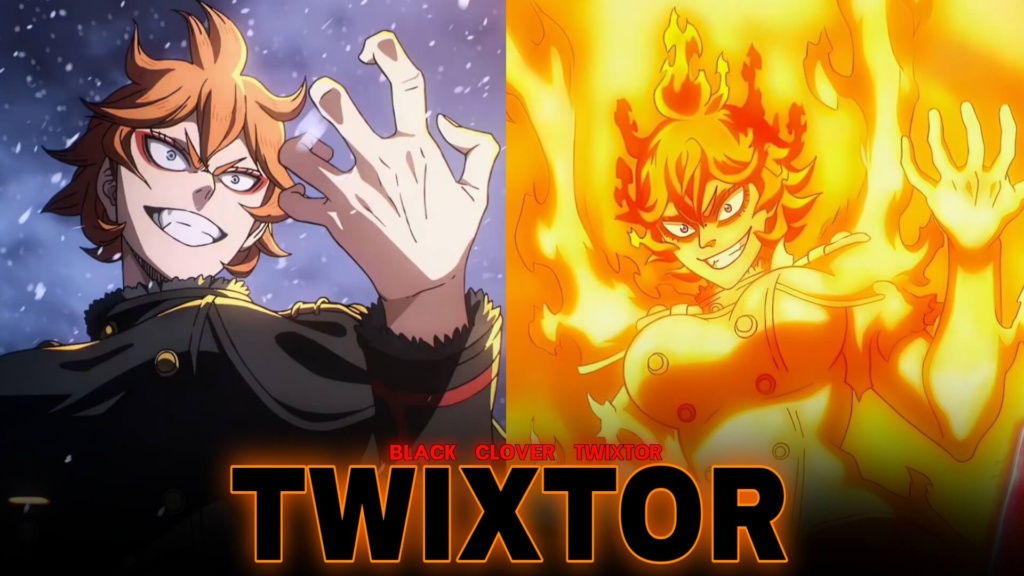
Mereoleona vs Ancient Demon Twixtor 4K
Mereoleona vs Ancient Demon Twixtor captures one of the most intense battles in Black Clover, bringing together overwhelming fire magic, monstrous strength, and explosive anime action. Mereoleona Vermillion is known for her fearless personality and relentless fighting style, and this clash gives editors plenty of dramatic moments to transform into powerful anime edits.
From burning attacks to the Ancient Demon’s enormous presence, this fight offers the kind of visuals that work especially well for velocity edits, beat transitions, and cinematic montages.
Why This Fight Is Perfect for Anime Edits
The appeal of Mereoleona vs Ancient Demon Twixtor comes from the contrast between Mereoleona’s aggressive combat style and the terrifying scale of her opponent. Rather than relying only on dialogue, the battle communicates its intensity through movement, impact, fire effects, and powerful finishing attacks.
Mereoleona’s fiery aura makes her particularly suitable for edits built around red and orange color grading. Editors can emphasize the flames, increase contrast, and synchronize punches with heavy beats to create a more dramatic result. Slower sections can highlight her expressions and powerful stance before the edit transitions into faster combat footage.
Hellfire Incarnate and Mereoleona’s Power
One of the defining elements of this encounter is Mereoleona’s ability to grow more dangerous as the fight continues. Her Hellfire Incarnate technique surrounds her with immense fire-based mana, giving the battle an increasingly overwhelming atmosphere.
For creators working with Mereoleona vs Ancient Demon Twixtor, these moments can provide excellent material for speed ramps, impact frames, and carefully timed transitions. A short slow-motion section before a major strike can make the following burst of action feel even more powerful.
Try combining fiery footage with bass-heavy audio, subtle camera shake, and a warm cinematic color grade. Avoid applying every effect at once; allowing the original animation to remain visible often produces a cleaner and more professional result.
How to Use These Clips in Your Edits
You can build a complete anime edit around the fight or combine selected moments with other scenes from the series. Start by choosing a clear focal point, such as Mereoleona preparing an attack, unleashing her flames, or facing the Ancient Demon.
When editing Mereoleona vs Ancient Demon Twixtor, use gradual speed changes instead of making every section extremely slow. Excessive slowing can create choppy motion if the source footage does not contain enough frames. In software such as After Effects, test your frame interpolation settings and review fast-moving flames and limbs for unwanted distortion.
For more footage to complement your project, explore the Anime Twixtor collection and the Movies Clips collection. Choose scenes that match your edit’s mood and pacing rather than adding clips simply to make the video longer.
Download and Editing Tips
If you’re searching for Mereoleona vs Ancient Demon Twixtor clips, check the available post for its download options and inspect the actual file before using it. Confirm the resolution, frame rate, and whether a watermark is present; these details can vary between files and sources.
For a sharper final result, avoid repeatedly exporting the same footage. Keep your original clip untouched, make your edits in a separate composition, and export at a resolution that suits your target platform. Vertical edits work well for short-form video, while widescreen compositions can better showcase the scale of the battle.
Final Thoughts
Mereoleona vs Ancient Demon Twixtor is a strong choice for creators who enjoy high-energy Black Clover edits. Its fiery visuals, hard-hitting combat, and escalating intensity provide plenty of opportunities for creative timing and effects. With thoughtful pacing, clean transitions, and suitable music, you can turn the battle into a memorable anime edit.
FAQs
1. What makes this Mereoleona fight good for edits?
Its fire effects, powerful attacks, and dramatic battle progression make it suitable for action montages, velocity edits, and cinematic sequences.
2. Which editing effects work best for this fight?
Try speed ramps, beat synchronization, subtle camera shake, glow, and warm color grading. Use effects selectively to preserve the original animation.
3. How can I check whether a clip is 4K and watermark-free?
Check the file details and preview the downloaded footage. Verify the actual resolution and inspect the image for watermarks before using it in your project.
About The Author