Hina Chono Twixtor | Blue Box Twixtor
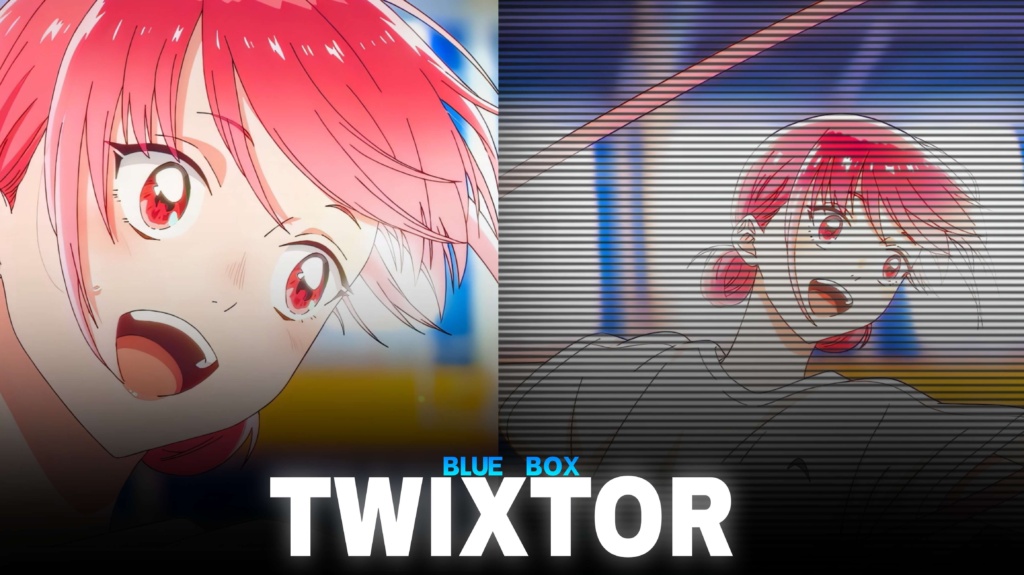
Hina Chono Twixtor | Epic Blue Box Twixtor 4K
Hina Chono Twixtor: Stunning Blue Box Clips for Anime Edits
Hina Chono Twixtor is a popular search for Blue Box fans and anime editors who want expressive character footage, cute aesthetic scenes, and smooth clips for creative videos. Hina Chono, also known as Hina Chouno, stands out through her pink hair, cheerful personality, rhythmic gymnastics talent, and emotional journey involving Taiki Inomata. These qualities make her scenes suitable for romantic montages, character edits, and music-synchronized videos.
For editors, Hina Chono Twixtor footage offers a different atmosphere from action-heavy anime clips. Her expressions, playful reactions, and quieter emotional moments can work beautifully with gentle transitions, soft colour grading, and carefully timed slow motion. The best edits highlight her personality instead of relying on excessive visual effects.
What Makes Hina Chono Special in Blue Box?
Blue Box, also known as Ao no Hako, blends school life, sports, friendship, and romance. Hina adds energy to the story through her outgoing personality and commitment to rhythmic gymnastics. Her relationship with Taiki also creates opportunities for emotional edits that capture both cheerful moments and more vulnerable expressions.
A character-focused video can use contrasting scenes to tell a small story. Start with a playful reaction, transition into a thoughtful expression, and finish with a memorable moment that matches the soundtrack. This approach gives an edit a sense of progression rather than making it feel like a random clip compilation.
For more footage inspiration from different anime series, explore the site’s Anime Twixtor collection.
Best Hina Chono Twixtor Ideas for Different Editing Styles
When choosing Hina Chono Twixtor clips, consider the mood you want to create and how the scenes can connect visually.
1. Cute aesthetic edits
Use smiles, playful reactions, and bright school scenes to create a cheerful montage. Soft transitions and balanced pastel colours can complement the character without making the footage look washed out.
2. Romantic character edits
Emotional moments involving Taiki can work well with slower pacing and music that gradually builds. Use close-ups and subtle zooms to draw attention to expressions rather than covering the scene with effects.
3. Rhythmic gymnastics edits
Hina’s athletic movements provide opportunities for smooth speed ramps and movement-based transitions. Match the timing to the soundtrack, especially when a movement reaches its most visually interesting point.
4. Beat-sync anime edits
For a more energetic style, align scene changes and expressions with musical beats. Keep the cuts clean and save the strongest moment for a noticeable beat drop.
You can also browse the site’s Anime Clips collection for ideas when planning a wider anime montage.
How to Make Smooth Hina Chono Twixtor Edits
A polished Hina Chono Twixtor edit depends on source quality, timing, and effects that suit the original animation. Frame interpolation can help create smoother slow motion, but excessive slowdown may cause ghosting or unnatural movement.
Try these practical techniques:
- Choose clear footage: Start with sharp source material and avoid heavily compressed clips when possible.
- Sync cuts with music: Use expressions, gestures, and scene changes to mark important beats.
- Keep slow motion controlled: Moderate speed adjustments often look more natural than extreme slowing.
- Maintain consistent colours: Match brightness, contrast, and saturation across different shots.
- Use subtle transitions: Simple cuts, gentle zooms, and restrained fades often suit romantic anime edits.
- Review the final export: Check for flickering, distortion, and compression artifacts before uploading.
For smooth Hina Chono Twixtor clips, test your chosen effects on a short section before applying them to the entire video. Exporting in 4K does not guarantee native 4K source detail, so check the original footage quality before editing.
Finding Hina Chono Twixtor Clips for Your Next Project
Look for Hina Chono Twixtor clips with clear expressions, suitable framing, and enough detail to support your editing style. Short scenes can be easier to synchronize with music than long sequences containing several camera changes.
For vertical videos, keep Hina’s face and important movements visible within the frame. Widescreen edits can preserve more of the original composition and provide a calmer, cinematic presentation.
Before downloading or publishing footage, check the source resolution, watermark status, and usage permissions. Publicly available anime footage is not automatically free to redistribute or monetize, so review the applicable copyright terms for your project.
A strong character edit combines carefully chosen scenes, thoughtful pacing, and music that reflects the mood of the footage. Rather than using every available effect, let Hina’s expressions and personality carry the video.
FAQs
1. Who is Hina Chono in Blue Box?
Hina Chono, also romanized as Hina Chouno, is a rhythmic gymnast and one of the central characters in Blue Box. She is known for her cheerful personality, athletic talent, and relationship with Taiki.
2. What videos can I make with Hina Chono Twixtor clips?
Hina Chono Twixtor can be used as inspiration for romantic edits, cute aesthetic videos, gymnastics montages, character compilations, and slow-motion anime edits.
3. How can I make Hina Chono edits look smoother?
Use clear source footage, moderate slow motion, consistent colour grading, and carefully timed transitions. Review the final export for visual artifacts before publishing.
For more anime clips and editing inspiration, visit the YouTube Channel.
About The Author