Steve Harrington Scenepack (S01)
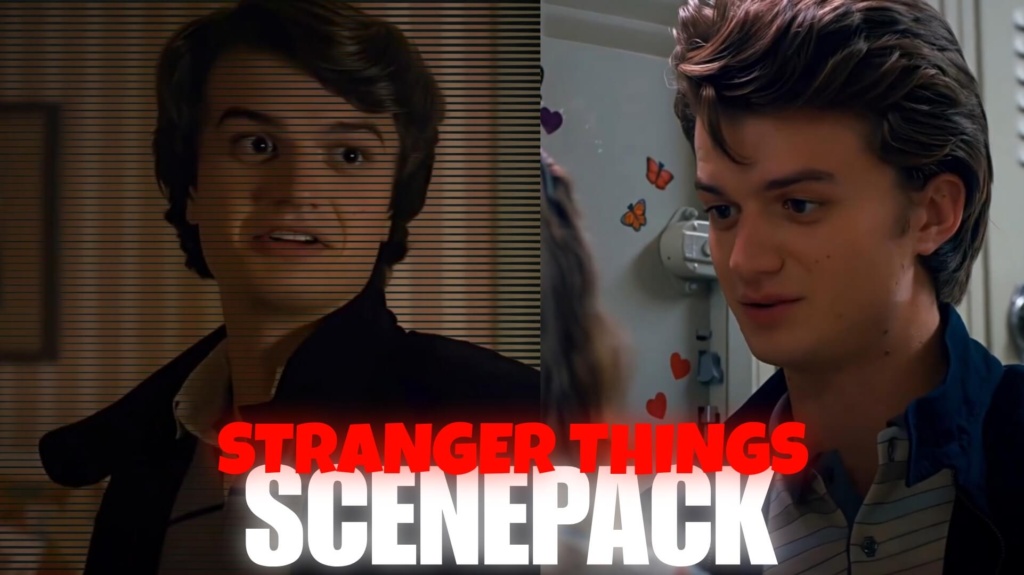
Steve Harrington Scenepack
Steve Harrington Scenepack 4K Free — Epic Ultimate Edits
Steve Harrington was supposed to be the typical high-school guy in Stranger Things. Instead, he became the character who walks into danger with a baseball bat, protects his friends, and somehow makes a terrible situation look almost manageable. That mix of confidence, humor, and unexpected bravery is exactly why the Steve Harrington Scenepack is a strong choice for fan editors. Whether you are creating a badass character edit, a nostalgic montage, or a cinematic Hawkins compilation, Steve’s personality gives your footage a distinctive style.
Download Steve Harrington Scenepack
Want to turn Steve’s best moments into your next edit? Use the download option on the relevant MoviestwixTor post to access the available footage.
Clip information: Look for MP4 video files, check the listed resolution (4K or 1080p where available), and verify the included scenes before downloading. Watermark status, frame rate, and processing details depend on the actual files supplied.
The existing Steve Harrington Twixtor clips collection is a useful starting point if you want footage of Steve for character edits, transitions, or cinematic videos.
What Makes Steve Harrington Perfect for Edits?
Steve has a visual style that works across several editing genres. His baseball-bat moments suit aggressive music edits, his reactions bring comic timing, and his friendships with the younger characters add emotional depth. Unlike a character defined only by action, Steve can carry a video that shifts between humor and intensity.
Here are five creative directions for your scenepack:
- The baseball-bat edit: Build toward an action moment with quick cuts, a short pause, and a strong beat drop.
- The babysitter aesthetic: Focus on Steve protecting the younger group, using character close-ups and story-driven transitions.
- The fearless Hawkins fighter: Pair intense expressions with darker grading, controlled shakes, and punchy music.
- The funny Steve compilation: Use reaction shots and quick cuts to highlight his sarcastic, awkward, and lovable side.
- The character evolution edit: Combine footage from different seasons to show how Steve changes from a self-centered teenager into a dependable friend.
Choose the scenes that fit your particular pack rather than assuming every moment is included.
Steve Harrington’s Journey in Stranger Things
Played by Joe Keery, Steve Harrington becomes one of the series’ most memorable characters through his gradual transformation. His relationships with Dustin and the other younger characters reveal a more caring side, while his willingness to face danger makes him an important part of the Hawkins group. This combination of humor, loyalty, and courage makes Steve suitable for both energetic fan edits and more sentimental videos.
For a story-driven Stranger Things montage, you could connect Steve’s scenes with the William Byers scenepack, creating a contrast between Steve’s protective personality and Will’s connection to the Upside Down.
How to Edit Steve Harrington Clips
Start by choosing a clear mood for your video. For an action edit, sync the baseball-bat shots and expressions to the strongest beats in your soundtrack. For an aesthetic edit, use smoother transitions and consistent color grading instead of adding an effect to every shot.
You can edit compatible footage in Adobe Premiere Pro, DaVinci Resolve, CapCut, VN Editor, or After Effects. If the files are already slowed down, check their playback speed before applying additional slow motion. Good timing and carefully selected shots often make a bigger difference than excessive effects.
Make Your Steve Harrington Edit Stand Out
A great Steve edit does not need to be action from beginning to end. Start with a recognizable expression, build anticipation, and finish with a memorable scene. You can also explore the Max Mayfield Season 5 Twixtor collection for footage to incorporate into a wider Stranger Things character montage.
For more series-based footage, browse the Movies and series clips collection. Keep your anchor text relevant to the surrounding paragraph so internal links support both navigation and topical SEO.
Frequently Asked Questions
1. Where can I download the Steve Harrington Scenepack?
Visit the relevant Steve Harrington post on MoviestwixTor and use its available download option. Check the file details to confirm the scenes, resolution, and format before using the footage.
2. Which Steve Harrington scenes work best for edits?
Baseball-bat action, protective moments, funny reactions, and emotional scenes are all useful editing themes. The best choice depends on whether you want an aggressive, humorous, nostalgic, or cinematic video.
3. Can I use Steve Harrington clips in CapCut?
Yes, if the downloaded files are in a compatible video format such as MP4. You can use CapCut to synchronize clips with music, apply transitions, adjust colors, and export your finished edit.
SUBSCRIBE TO YOUTUBE
About The Author